1
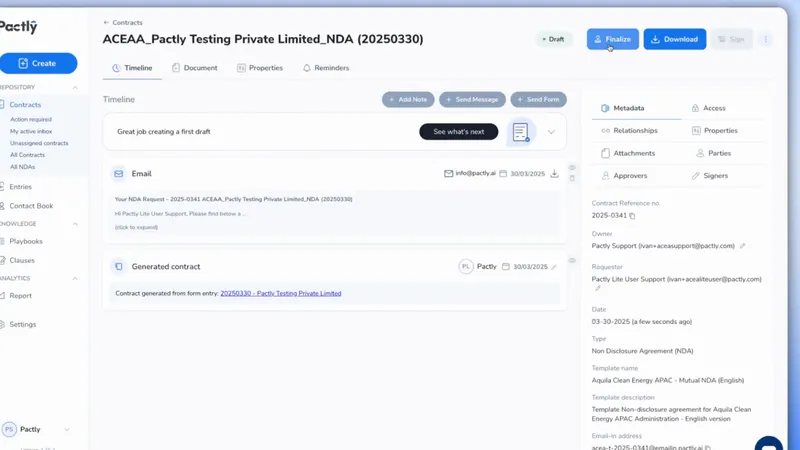
Select Finalize on the NDA
Open the NDA and select Finalize at the top of the contract record.
A guide for the Aquila Clean Energy APAC legal team. After an NDA is finalised, the requester completes the Contract Release Form. You review it, change it if needed, and release it to the Lite User for signing.
Once an NDA is agreed, the legal team member who owns it finalises it. Pactly then asks the requester to complete the Contract Release Form (CRF). When the CRF comes back, you review it, make any changes, and release it. Releasing the CRF hands the NDA to the Lite User the requester nominated, who arranges the signatures.
Open the NDA and select Finalize at the top of the contract record.
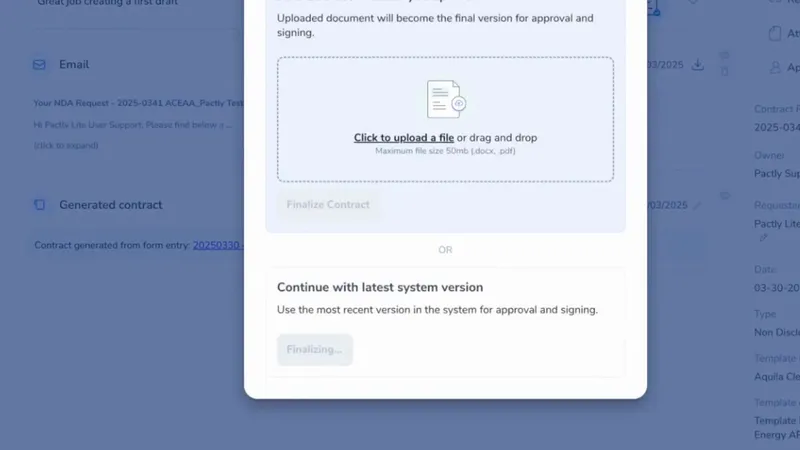
Select Continue with latest system version to use the version already in Pactly, or upload the final document if it was agreed outside Pactly.
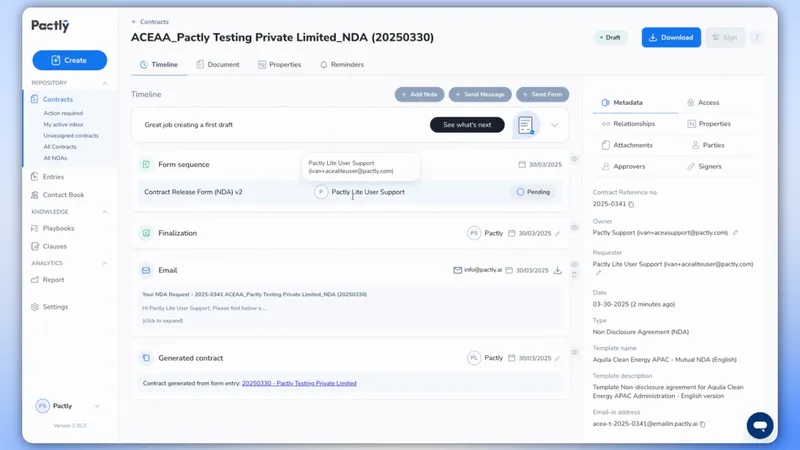
Pactly emails the requester a link to the CRF, and the form sequence on the timeline shows the CRF as pending. Nothing more is needed from you until the requester submits it.
When the requester submits the CRF you receive an email titled New Contract Release Form for approval. It lists the answers under CRF Preview and has two links: one to view or change the CRF, and one to release it. If nothing needs changing, use the release link and go straight to the release step below.
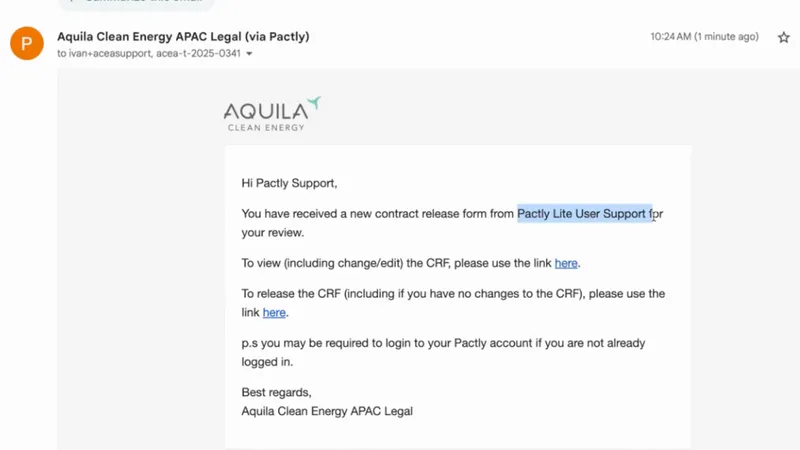
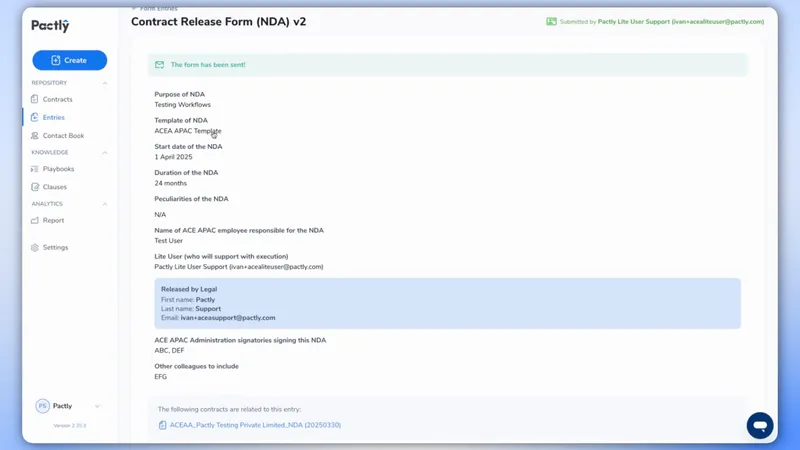
Use the first link in the email. The completed CRF opens. You may be asked to log in first.
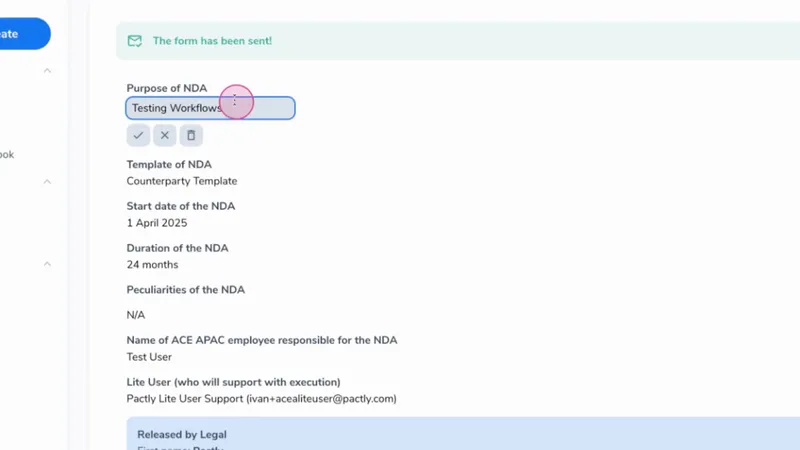
Select any answer to edit it, change the text, then select the tick to save. Repeat for each field that needs changing.
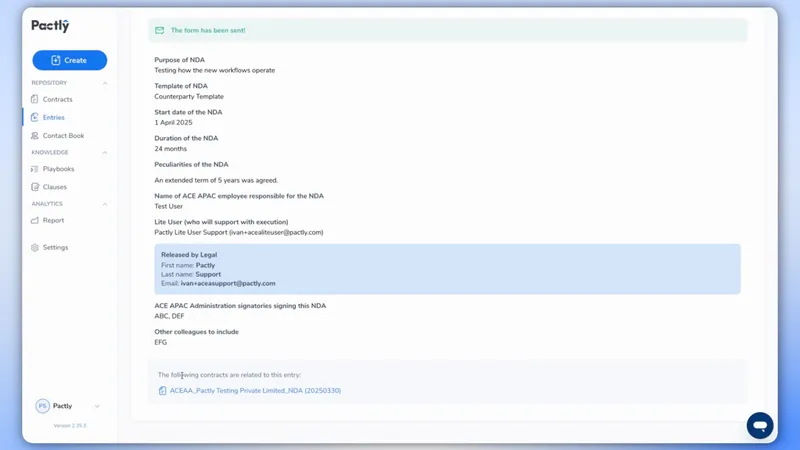
At the bottom of the CRF, select the related contract to return to the NDA.
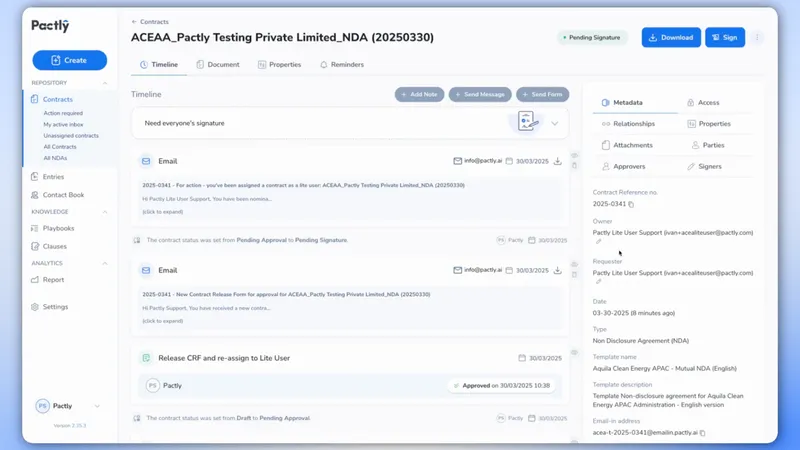
On the NDA timeline, find the Release CRF and re-assign to Lite User entry and select the button on it.
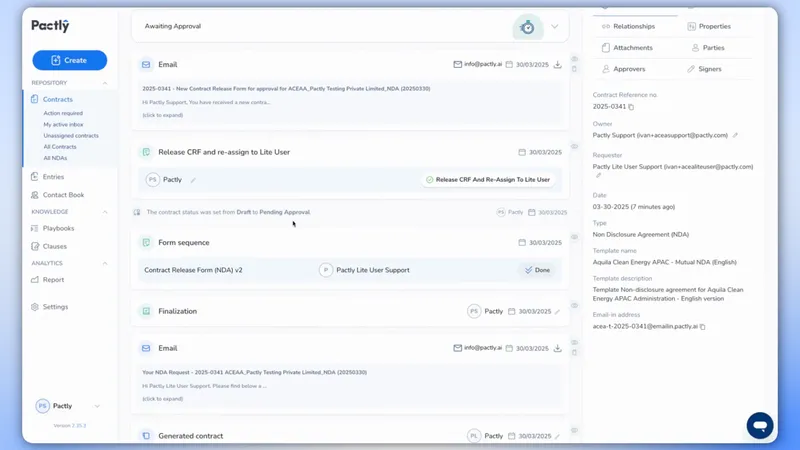
Select Confirm. The release is recorded on the timeline.
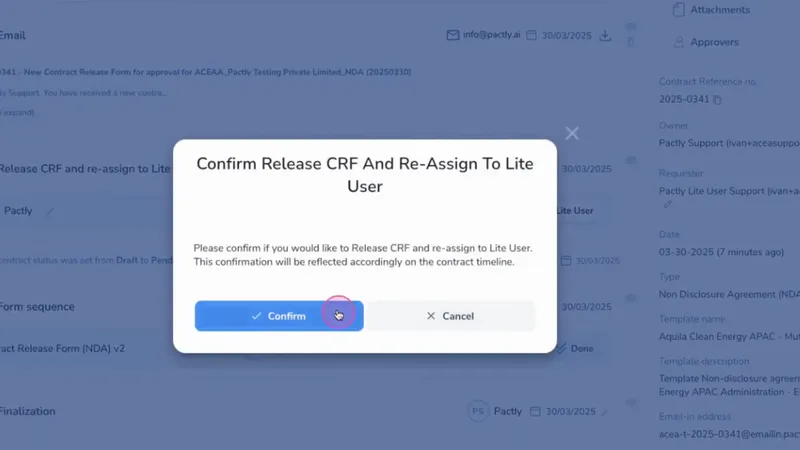
The NDA status changes to Pending Signature and the Lite User becomes the owner. Pactly emails them to arrange the signatures.