Automate Reminders for Research Sub-Contracts
If you have successfully streamlined your grant contract renewals but still find yourself manually emailing partners to collect their deliverables, you’re not alone.
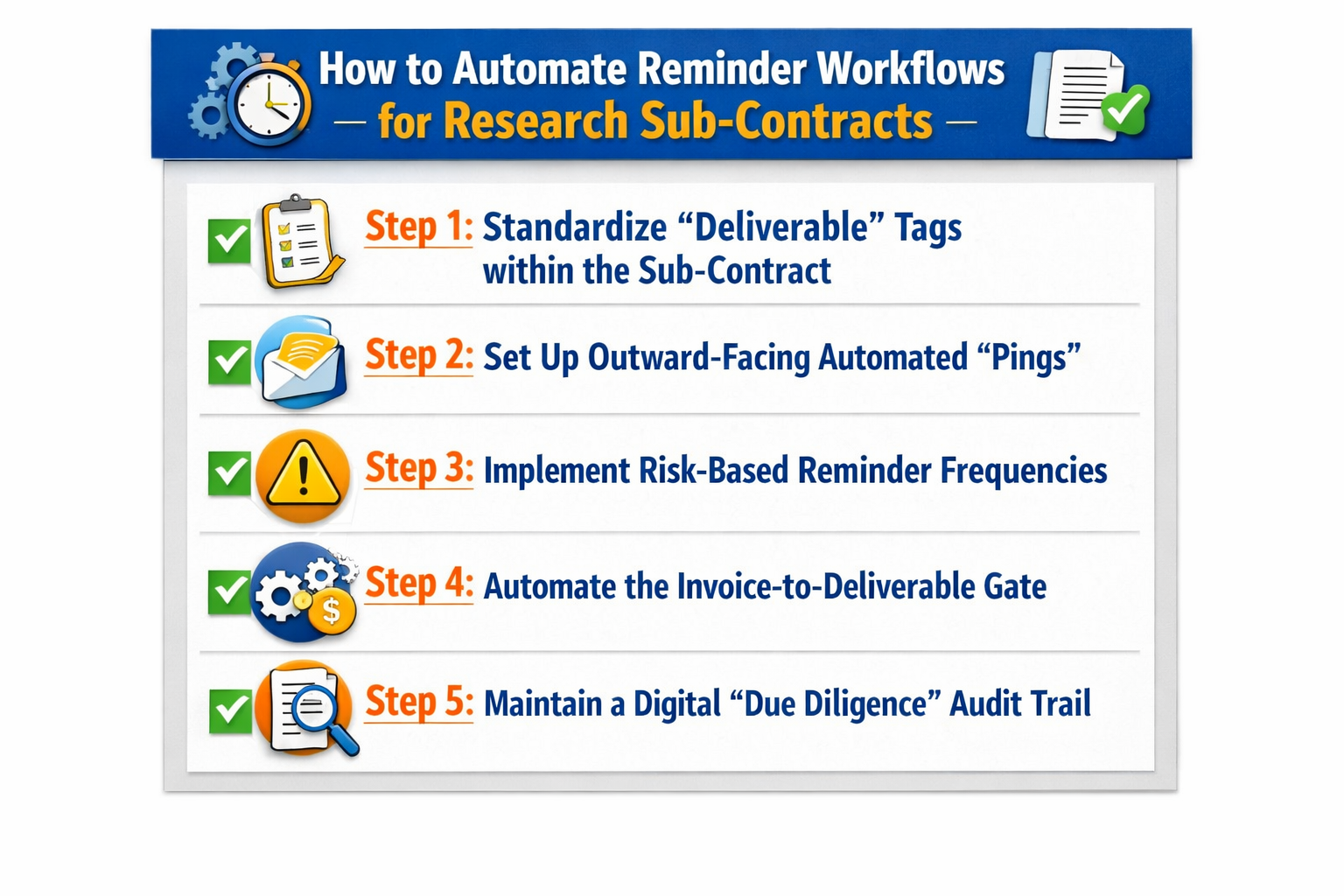
Here are 5 steps to automate your research sub-contract reminder workflows:
Step 1: Standardize “Deliverable” Tags within the Sub-Contract
To automate the chase, the system must know exactly what it is chasing.
We recommend moving away from vague “reporting” categories and using specific metadata tags for every sub-contract deliverable (e.g., Invention Statements or Final Technical Reports).
- Use Category-Specific Reminders: Tag milestones by type so the system sends specific instructions for financial reports vs. scientific ones.
- Parent-Child Mapping: Ensure sub-contract milestones are keyed to the prime award’s deadline so you collect reports 30 days before your own filing is due.
Step 2: Set Up Outward-Facing Automated “Pings”
Sub-contract automation should be outward-facing. We recommend a workflow that emails the sub-contractor’s administrative contact directly, bypassing your inbox until a document is actually uploaded.
- The Escalation Chain: Set a tiered system where the first reminder goes to their OSP, but a “past due” alert is automatically copied to the sub-contract PI.
- Direct Upload Links: Include a secure portal link in the reminder so the partner can submit their report directly into your system, triggering an automatic status update.
Step 3: Implement Risk-Based Reminder Frequencies
Not every partner needs the same level of oversight. We recommend adjusting your automation frequency based on the risk profile of the sub-contractor.
- The “Auto-Nudge”: Set high-risk partners to receive bi-weekly pings, while letting the contract renewal software stay silent for low-risk domestic partners until the 30-day mark.
- Internal Red Flags: Set a notification for your team if a sub-contractor ignores three consecutive automated reminders.
Step 4: Automate the Invoice-to-Deliverable Gate
Sub-contract compliance is often tied to payment. We recommend a workflow where the system “holds” an invoice for approval until the corresponding technical milestone is marked as “received.”
- Compliance Gates: Set a rule where an invoice cannot be moved to “Approved” unless the system detects that the required report has been uploaded.
- Automated Rejections: If an invoice arrives while a milestone is missing, have the system send an automated “Missing Deliverable” notice back to their billing office.
Step 5: Maintain a Digital “Due Diligence” Audit Trail
In a federal audit, you must prove you exercised oversight. We recommend letting the system maintain a permanent log of every automated reminder sent and the date the deliverable was received.
- Central Communication Logs: Ensure all “pings” are archived within the specific sub-contract record for a clear history of your monitoring efforts.
- Compliance Snapshots: Use this data to pull reports showing auditors exactly how many milestones were met on time across your entire sub-contract portfolio.
Conclusion
We hope this helps you move the burden of the “manual chase” into a background process that actually works. Once your active sub-contracts are under control, feel free to check out our next article on automating reminders for post-contract IP obligations to ensure no innovation or disclosure is left behind.
See it in action
Turn contract chaos into a streamlined workflow
Join legal teams who cut contract turnaround time by 60%. Book a 15-minute demo to see how.