How to Optimize Contract Templates for Faster Reviews
If you’ve successfully streamlined your internal review process, you might be wondering if you can move even faster.
Perhaps a way to stop redlining the same “Limitation of Liability” clause every week or to reduce rejections from vendors so that you can speed up the review process.
If that’s you, then this article is for you.
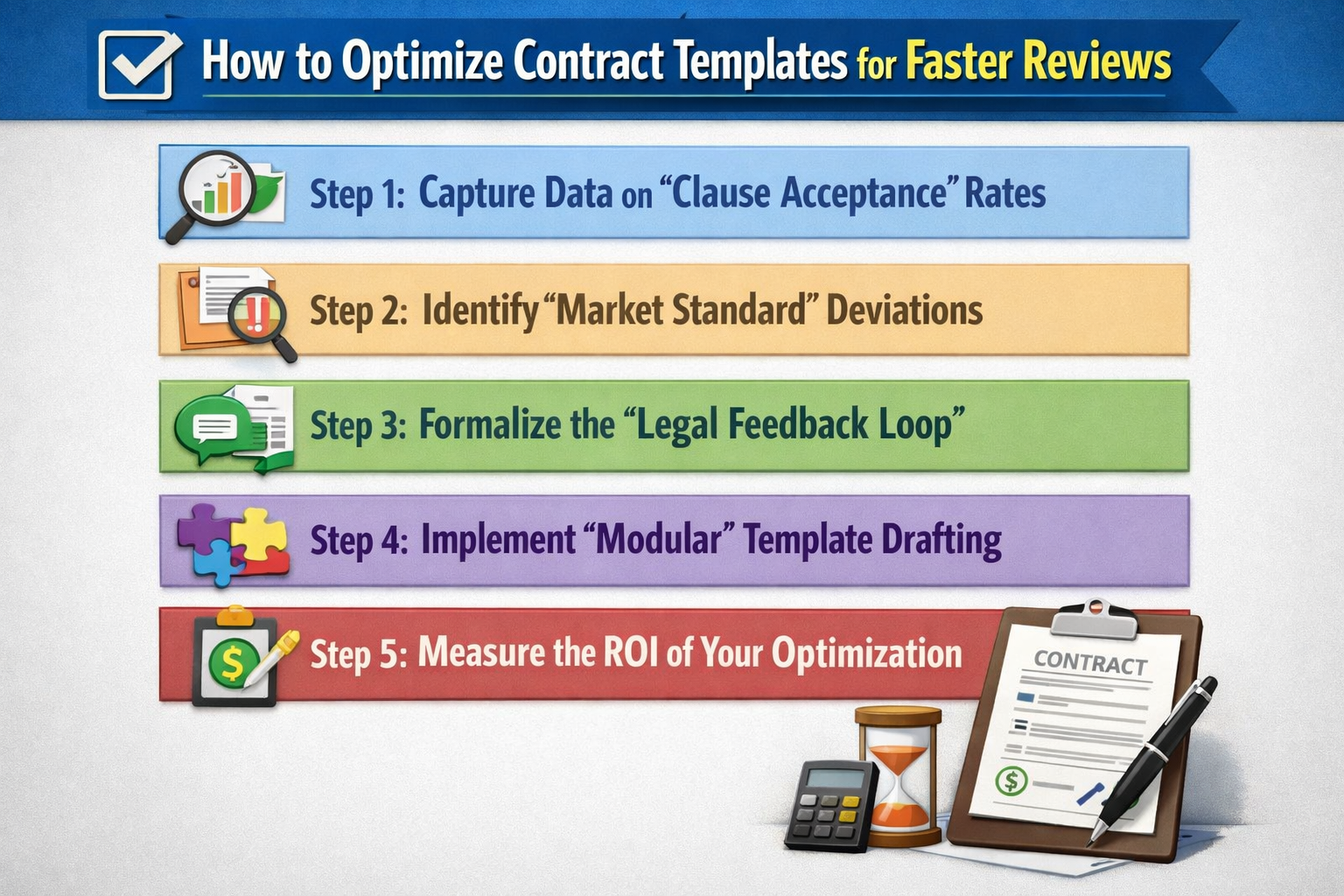
Here are the 5 steps to optimize your contract templates for faster reviews:
Step 1: Capture Data on “Clause Acceptance” Rates
To optimize your templates for speed, you first need to know which parts are actually working. Your software should track how often each clause in your standard template is accepted without any redlines.
We recommend looking for these specific metrics:
- The “Friction” Score: Which clauses are redlined most frequently?
- The “Win” Rate: How often does your standard “fallback” language get accepted vs. your “aggressive” primary position?
- Cycle Time per Clause: Which sections consistently add 3+ days to the negotiation because of back-and-forth?
Step 2: Identify “Market Standard” Deviations
If your data shows that a specific clause, like your Indemnification requirement, is redlined 90% of the time, you are likely “out of market.” This is a signal to adjust your starting position to be closer to what the market actually accepts, which leads to significantly faster reviews.
Consider evaluating your data for:
- Common Counter-Offers: If dozens of different vendors all ask for the same specific change, that change should probably become your new standard.
- Industry Benchmarks: Compare your acceptance rates against standard industry norms to see where your template is unnecessarily aggressive.
Step 3: Formalize the “Legal Feedback Loop”
Data is useless if it stays in a dashboard.
You need a formal process where your Legal Ops team reviews these analytics every quarter to update your contract playbook. This keeps your templates “fresh” and aligned with actual deal outcomes.
Your feedback loop should involve:
- Quarterly Review Meetings: Sitting down with the deal-makers (Sales/Procurement) to see where they feel the template is “killing deals.”
- Version Control: Ensuring that once a template is optimized for speed, the old, “high-friction” version is retired immediately across the whole organization.
Step 4: Implement “Modular” Template Drafting
Once you have the data, move away from static “one-size-fits-all” documents.
Optimize your templates by making them modular, where the contract review software automatically pulls in different clauses based on the risk profile or the deal size.
Try optimizing your templates with:
- Conditional Logic: For low-value deals, the template auto-selects a “light” Indemnity clause to ensure a fast, “no-touch” signature.
- Jurisdictional Modules: Automatically swapping the “Governing Law” or “Tax” clauses based on the vendor’s location, ensuring the review doesn’t get hung up on local legalities.
Step 5: Measure the ROI of Your Optimization
The final step is proving that these changes actually resulted in faster reviews.
After you update your templates based on your review data, measure the impact on your overall business velocity.
We recommend tracking the “Before vs. After” of:
- Negotiation Cycle Time: Did your average “Time to Sign” drop after the template update?
- Legal Touch Rate: How many contracts are now going from “Draft” to “Signature” without a lawyer ever having to touch a clause?
- Outside Counsel Spend: Has your reliance on law firms for “standard” reviews decreased?
Conclusion
And there you have it!
By optimizing your contract templates for faster reviews, you aren’t just saving time; you’re turning the legal department into a competitive advantage for the business.
If you’re ready to stop the repeat redlines and want to see how we use review analytics to optimize your specific templates, feel free to book a demo with us.
See it in action
Turn contract chaos into a streamlined workflow
Join legal teams who cut contract turnaround time by 60%. Book a 15-minute demo to see how.