5 Steps to Automate Your NDA Drafting Workflow
In 2026, manual document creation is a luxury most legal teams can no longer afford.
While many organizations have already streamlined their NDA drafting process, the most efficient teams are going a step further by removing the “manual” part of the process entirely.
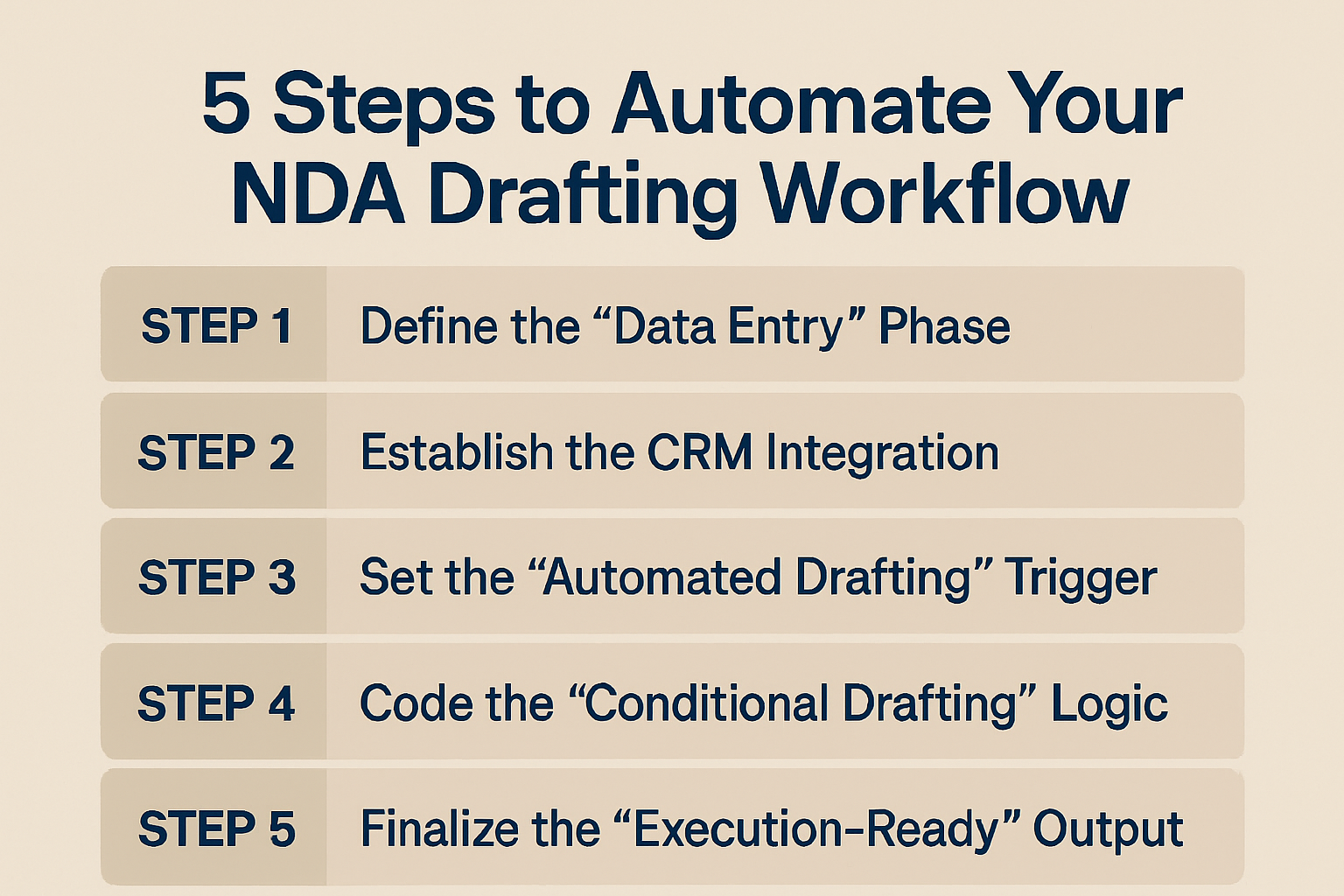
Here are the five steps to automate your NDA drafting workflow.
Step 1. Define the “Data Entry” Phase
- The Phase: Identify where your contract data lives before the NDA is even requested.
- The How-To: Map out the fields you need—such as party names, jurisdiction, and effective dates—and ensure they are being captured in your “Source of Truth” (like a CRM or a standardized intake form).
- The Result: This ensures that when the NDA drafting process begins, the system isn’t guessing; it’s pulling from verified, structured data.
Step 2. Establish the CRM Integration
- The Integration: Connect your contract platform directly to your sales or procurement tools to eliminate manual data entry.
- The How-To: Set up a native integration so that your NDA drafting software can pull information directly from a Salesforce or HubSpot deal record the moment a rep initiates a request.
- The Result: This creates a “Zero-Touch” environment where the business team can trigger an NDA draft without ever leaving the tools they already use daily.
Step 3. Set the “Automated Drafting” Trigger
- The Trigger: Define the exact business event that should initiate the creation of an NDA.
- The How-To: Configure your system so that when a deal moves to a specific stage in your CRM (like “Mutual Discovery”), an NDA drafting request is automatically fired to the document engine.
- The Result: This removes “Legal” as a bottleneck, as the NDA contract is often ready for review before the sales rep even finishes their initial discovery call.
Step 4. Code the “Conditional Drafting” Logic
- The Logic: Use a “Rules Engine” to ensure the system selects the correct clauses for every specific scenario.
- The How-To: Build “If/Then” rules into your NDA templates (e.g., If the counterparty is based in the EU, Then include the specific GDPR-compliant confidentiality language).
- The Result: Every generated NDA is technically “custom” but requires zero manual drafting time, ensuring compliance across different regions and deal types.
Step 5. Finalize the “Execution-Ready” Output
- The Output: Ensure the automated workflow ends with a document that is ready for signature, not just a raw draft.
- The How-To: Configure the workflow to automatically place signature tags and send the final NDA to an e-signature platform once the automated drafting is complete.
- The Result: You close the loop on the NDA process, moving from a data-point in your CRM to a signed legal agreement with zero manual intervention from the Legal team.
Closing Thoughts
And there you have it…
We hope this article has been helpful in showing you how to automate your NDA contract drafting workflow to save time and reduce errors.
If you have your automation in place but want to ensure your templates stay sharp, check out our guide on how to create smart NDA templates that minimize drafting time.
See it in action
Turn contract chaos into a streamlined workflow
Join legal teams who cut contract turnaround time by 60%. Book a 15-minute demo to see how.