Difference between CLM vs ERP (Techniques & Integration)
When deciding between your ERP’s contract module and a specialized contract management tool, here’s the thing: ERP gives you basic contract storage and tracking, usually geared toward specific teams.
But a CLM system?
It brings the whole business together.
Legal, sales, finance—everyone can collaborate seamlessly, using the tools that make their workflows easiest.
It’s about making contracts a team sport rather than a siloed task
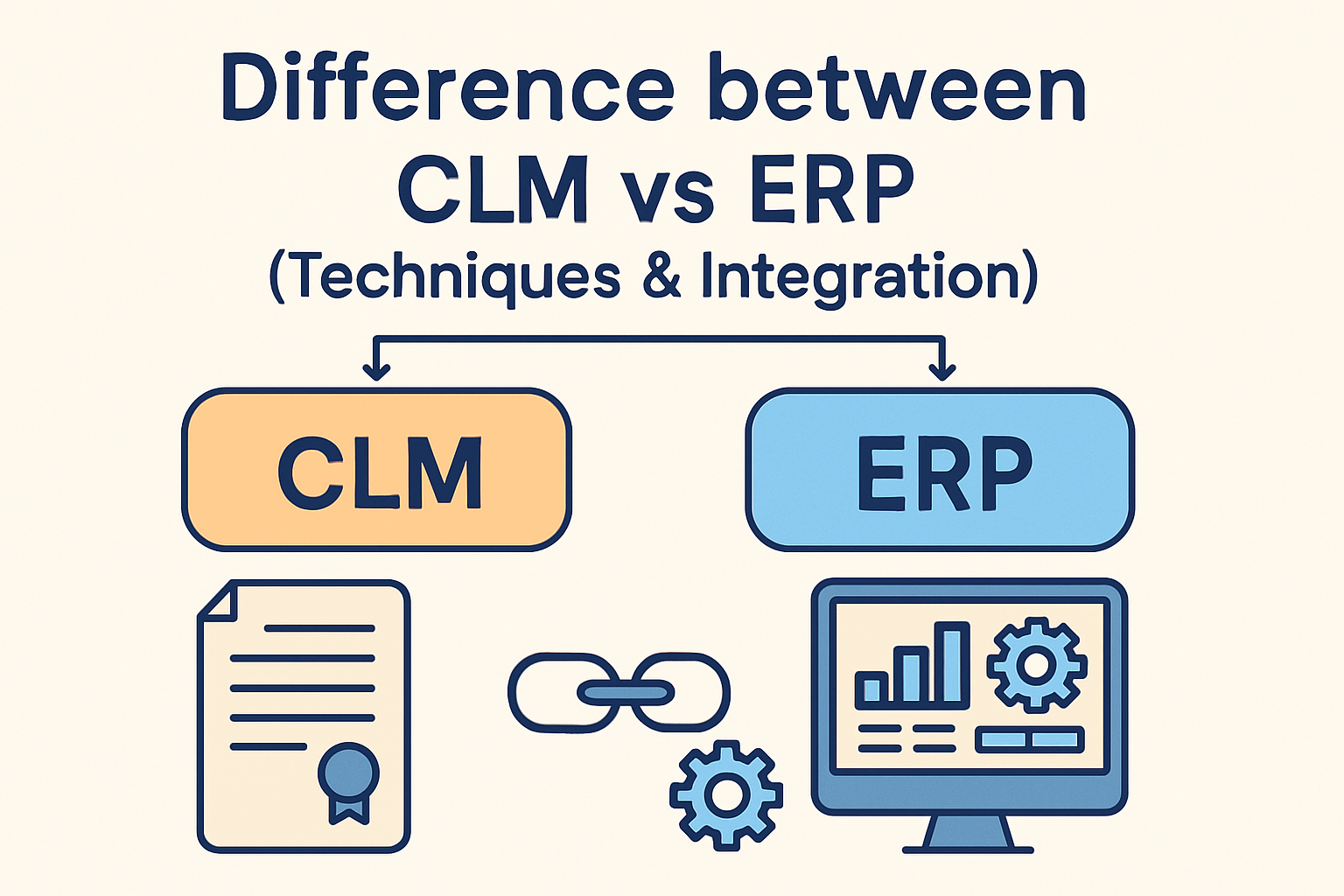
Said simply, the main difference between CLM and ERP is ERP manages broad business operations, while CLM focuses deeply on streamlining and automating the entire contract lifecycle.
Contract Management Techniques
So, how does this difference actually play out in the way you manage contracts?
1. ERP Contract Techniques
Think of ERP as the operational backbone — solid, structured, and designed to keep things moving. When it comes to contracts, here’s what ERP typically offers:
Basic storage: Contracts or key metadata live inside the ERP so teams can reference them when needed.
Simple tracking: You’ll get reminders for renewals, expiry dates, or approvals, but usually limited to the team that owns the contract.
Rigid workflows: ERP processes are often built around finance, procurement, or operations — not cross-department collaboration.
In short: ERP keeps contracts connected to business operations, but it’s not built for deep contract work or multi-team collaboration.
2. CLM Contract Techniques
CLM, on the other hand, is purpose-built for managing contracts end-to-end — everything from drafting to negotiation to post-signature obligations. Here’s what it looks like:
Automated approvals & e-signatures: Contracts flow smoothly through legal, sales, and finance without endless email chains.
Obligation tracking & compliance: The system flags deadlines, deliverables, and risks so nothing gets missed.
Collaboration-friendly workflows: Every stakeholder can work together, even in parallel, using tools they already know.
Data-driven insights: CLM surfaces trends, negotiation gaps, risk patterns, and performance metrics.
The bottom line: CLM makes managing contracts faster, safer, and far more collaborative across the entire business.
That said, because CLM systems go so much deeper than ERP modules, some teams do find it more difficult to implement CLM at first — especially if they’re moving from manual processes or siloed workflows.
Integration Across Teams: How ERP and CLM Work Together
Now that you know how each system works on its own, here’s how they actually work together once they’re connected.
1. Legal
What actually happens for Legal once CLM and ERP sync up?
CLM handles the heavy lifting — approvals, clause updates, risk checks, obligations, all automated.
Any change in the CLM instantly syncs into the ERP, so finance and ops always see the latest terms.
ERP uses those finalised terms to align invoicing, vendor data, and other downstream processes.
In short: Legal works more efficiently in CLM, and ERP ensures the rest of the business sees the right version every time.
2. Finance
Finance benefits the moment contract data starts flowing accurately.
CLM tracks payment schedules, renewals, and the financial obligations tied to each contract.
ERP pulls in that data to automate billing, budgeting, and revenue recognition.
No more spreadsheets, manual reminders, or mismatched numbers between teams.
The end result: Finance gets clean, real-time financial data that they can actually trust.
3. Procurement
Procurement becomes proactive instead of reactive.
The CLM gives visibility into vendor agreements, renewals, pricing changes, and compliance terms.
ERP connects that info to purchase orders, reorders, and inventory workflows.
Supplier performance becomes easier to track because the contract terms are always in sync.
Bottom line: Procurement makes faster decisions with fewer surprises from vendors.
4. Operations
Operations finally gets clarity instead of chasing updates.
CLM ties obligations, SLAs, and deliverables directly to each contract.
ERP uses that data to schedule resources, plan workloads, and track performance.
Ops teams don’t have to ask, “Is this the final contract?” — the data is already aligned.
Put simply: Operations can plan with confidence because the contract data is live and accurate.
5. Risk & Compliance
This is where the integration really shines for leadership.
CLM surfaces risks, deadlines, and compliance issues early on.
ERP aggregates that with operational and financial data.
Leadership gets a single, unified dashboard of real risk exposure across the business.
The outcome: Faster decisions and fewer “hidden risks” across the organization.
6. Automation & Analytics
Together, CLM and ERP unlock insights neither system can generate alone.
CLM analyzes contract trends, bottlenecks, and negotiation patterns.
ERP analyzes broader operational and financial performance.
When combined, leaders get a full picture — from contract efficiency to business impact.
In essence: You get smarter decision-making powered by data from both sides of the business.
The Takeaway
CLM gives you depth — the tools to manage contracts properly, collaboratively, and efficiently while ERP gives you breadth — integrating those contracts into finance, procurement, operations, and reporting.
So - if you have any questions, feel free to book a demo with us — we’ll be happy to guide you.
Or, if you want to dive deeper, check out our next article: What is the difference between CLM and CRM?
See it in action
Turn contract chaos into a streamlined workflow
Join legal teams who cut contract turnaround time by 60%. Book a 15-minute demo to see how.