The NDA Automation Checklist: A Step-by-Step Build Guide
If you’re searching for NDA automation, you’ve likely realized that simply implementing NDA software or adding e-signatures doesn’t solve the whole problem.
Even with digital signatures, you probably still find yourself stuck with manual data entry, fragmented email threads, and that constant “chasing” that slows down every deal.
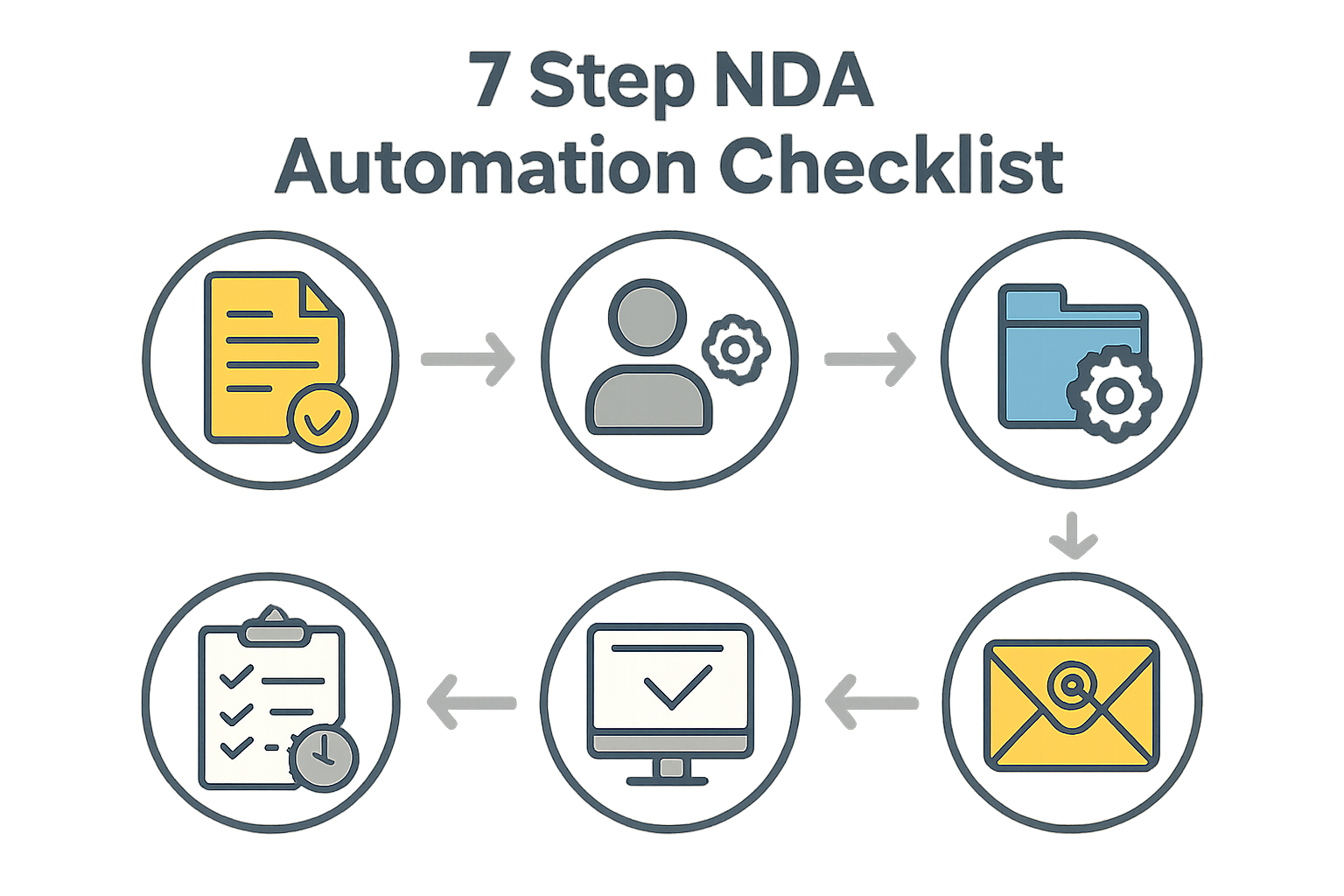
If that sounds like you, here is a checklist to automate the entire NDA process:
1. The Trigger: Standardized NDA Intake Forms
Automation cannot start with an email or a Slack message. You need structured data.
- The Solution: Create an intake form using Typeform or Google Forms. This forces the requester to provide the exact legal name, entity type, and “purpose” of the NDA. If they don’t fill the fields, the document isn’t created.
2. The Logic: Building a “Smart” NDA Template
You should not be choosing between “Mutual” and “One-Way” files. Your template should change itself.
- The Solution: Use a document generation tool like PandaDoc, Documate, or Gavel that supports conditional logic. This allows you to have one master NDA that automatically inserts or hides the “Mutual” clauses based on the answer selected in your Step 1 form.
3. The Mapping: Connecting Form Fields to the NDA
The data from your form needs to “flow” into the NDA document without you typing a single letter.
- The Solution: Use Zapier or Make.com to map your form questions to “tags” in your template (e.g.,
{{Company\_Name}}). When the form is submitted, the software injects that specific data directly into the signature-ready PDF.
4. The Routing: Ensuring NDA Compliance through Approval Logic
The biggest risk of “DIY” automation is that speed can often come at the expense of oversight. You need to ensure that every agreement stays strictly within your company’s risk tolerance.
- The Solution: Set up conditional routing. If the requester uses standard terms, it goes straight to the signer. If any term is edited (like governing law), the system automatically flags it for Legal review. This ensures speed without sacrificing NDA compliance.
5. The Signature: Automated NDA e-Signature Hand-Off
You shouldn’t have to download a PDF just to upload it into a signature tool.
- The Solution: Integrate your document generator directly with DocuSign or Dropbox Sign. Once the data is mapped and approved, the signer automatically receives a secure link via email.
6. The Nudge: Automated NDA Follow-Ups
Stop manually checking who hasn’t signed yet.
- The Solution: Turn on the “Auto-Remind” feature in your e-signature tool. Set it to send a reminder every 24 or 48 hours until the NDA is signed. This keeps the deal moving without you having to send a single “just checking in” email.
7. The Archive: Bi-Directional NDA CRM Sync
The process is only finished once the document is filed and the data is recorded.
- The Solution: Use your Zapier integration to push the final, signed NDA PDF back into your CRM (like Salesforce or HubSpot). Simultaneously, have the system “read” the expiration date and create a calendar alert for yourself 12 months out.
Closing Thoughts
And there you have it!
We hope this checklist helps you see that true automation is a pipeline, not just a single NDA automation tool.
It’s about connecting the dots from the first intake form to the final archive.
See it in action
Turn contract chaos into a streamlined workflow
Join legal teams who cut contract turnaround time by 60%. Book a 15-minute demo to see how.