Connecting CLM to Salesforce and Your ERP
If you’ve successfully mapped your legal workflow automation, you might be wondering how to take those digital workflows and connect them to the systems your Sales and Finance teams actually live in.
If that’s you, you’re not alone.
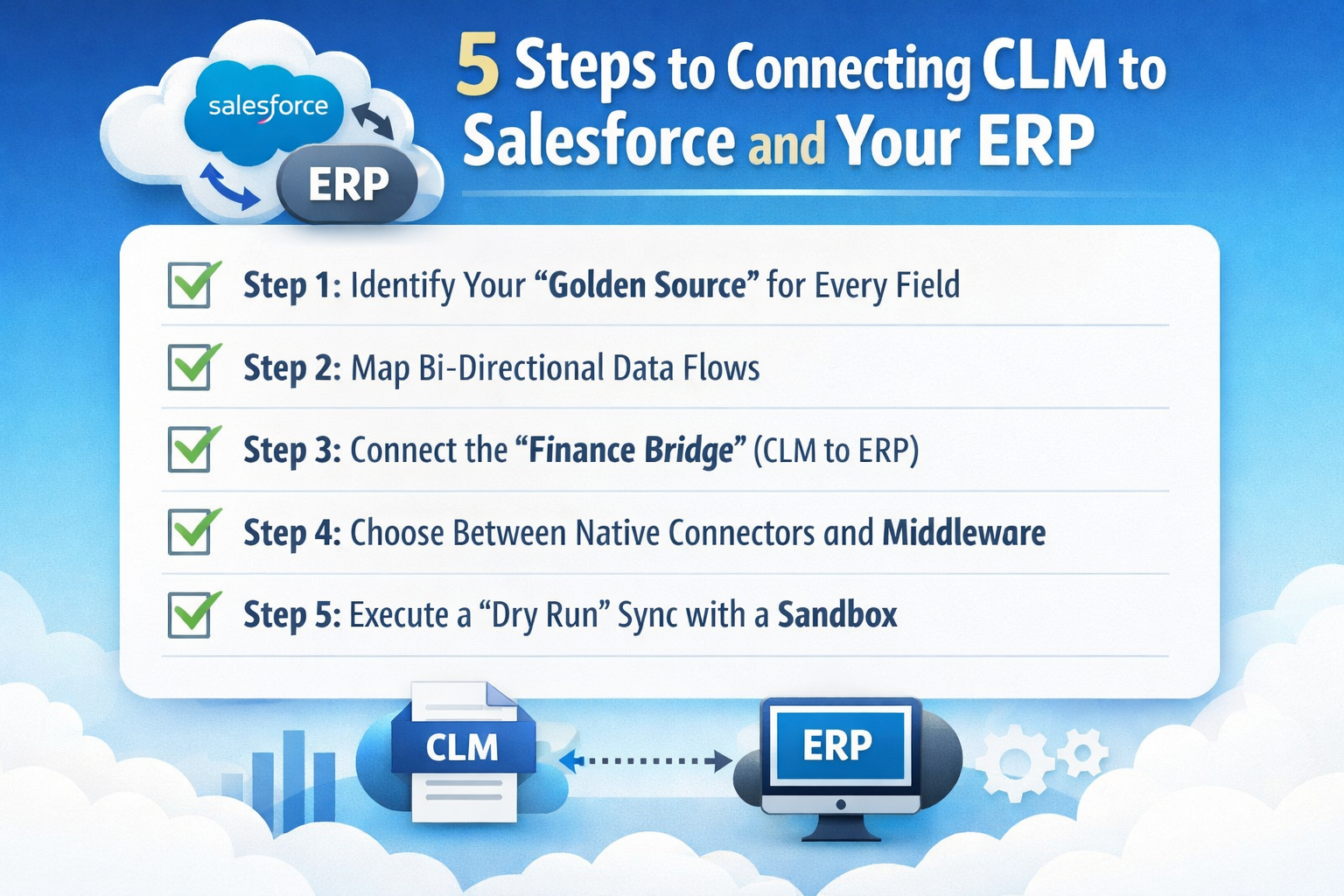
Here are the 5 steps to integrating your CLM tech stack:
Step 1: Identify Your “Golden Source” for Every Field
In a connected ecosystem, the same piece of data (like a “Counterparty Name”) exists in three places: Salesforce, your CLM, and your ERP.
If you don’t decide which system “owns” that data before you start the sync, you’ll end up with “Data Collisions” where systems overwrite each other with incorrect information.
We recommend establishing this standard hierarchy:
- CRM (Salesforce): Usually the owner of Customer Identity Data (Legal Entity Name, Address, Primary Contact).
- CLM: The owner of Contractual Metadata (Renewal Dates, Governing Law, Indemnity Caps, Opt-out Windows).
- ERP: The owner of Financial Data (Payment Terms, Tax IDs, Billing Milestones, Bank Details).
Step 2: Map Bi-Directional Data Flows
“Bi-directional” means data flows both ways.
So if a salesperson changes a deal amount in Salesforce, it should update the contract draft in the CLM. Once that contract is signed, the final “fully executed” data should flow back to the CRM to update the record.
Focus on mapping these high-value “pipes”:
- Opportunity to Draft: Push Salesforce “Opportunity” fields directly into your CLM templates to eliminate manual typing and “Copy-Paste” errors.
- Signature to Stage: Trigger the Salesforce stage to move to “Closed-Won” automatically the moment the final e-signature is timestamped.
- Renewal Sync: Push the final “Expiration Date” back to the CRM so Sales gets an automated task 90 days before the contract ends.
Step 3: Connect the “Finance Bridge” (CLM to ERP)
This is where the real ROI of a migration happens.
When your contract lifecycle software and ERP (like SAP, Oracle, or NetSuite) talk to each other, you eliminate “revenue leakage.” This ensures that Finance is billing exactly what was negotiated in the legal document, not a “best guess” from a Sales rep.
We suggest automating these financial hand-offs:
- Payment Terms: Sync the “Net-30” or “Net-60” terms from the contract directly to the ERP customer record.
- Price Escalators: If a contract has a “CPI Increase” or a “Fixed 3% annual lift,” the CLM should notify the ERP to update the invoice amount on the anniversary.
- Termination Mapping: Ensure that if a contract is terminated in the CLM, the ERP immediately halts recurring billing to avoid embarrassing (and costly) over-billing.
Step 4: Choose Between Native Connectors and Middleware
You have to decide how the “pipes” are built.
Native connectors (built by the CLM vendor) are easier to set up but can be “brittle”, they might break if Salesforce releases a major update. Middleware (like MuleSoft, Workato, or Zapier) acts as a translator, allowing for more complex, “fail-safe” logic.
Consider middleware if you need:
- Advanced Error Handling: If the ERP is down, the middleware “holds” the data and retries later so nothing is lost.
- Multi-App Sync: If one contract signature needs to update Salesforce, an ERP, and a Project Management tool like Jira.
- Data Transformation: If Salesforce uses “Currency Code” (USD) but your ERP requires “Currency Symbol” ($).
Step 5: Execute a “Dry Run” Sync with a Sandbox
Never turn on a bi-directional sync for your entire database at once.
You risk “poisoning” your CRM or ERP with messy legacy data.
Instead, use a “Sandbox” environment to perform a controlled test using a few active “In-Flight” deals to see how the data moves through the pipes.
Your Dry Run checklist should include:
- Field Mapping Accuracy: Did the “TCV” from the CLM land in the correct currency field in the ERP?
- Trigger Speed: Did the notification hit the Finance team’s inbox the moment the contract was signed?
- Permission Logic: Can a salesperson see the “Contract Status” in Salesforce without needing a full (and expensive) CLM license?
Conclusion
And there you have it.
If you have any questions or are struggling with “data silos,” feel free to book a demo with us, we love solving these technical puzzles and are happy to help you map your fields.
Otherwise, feel free to check out our next article on how to manage in-flight contracts during CLM Go-live so you don’t lose any deals in the gap between systems.
See it in action
Turn contract chaos into a streamlined workflow
Join legal teams who cut contract turnaround time by 60%. Book a 15-minute demo to see how.