Legal Workflow Automation: Mapping Approval Logic
If you’ve successfully triaged your legacy contracts, you might be wondering how to take the informal, “hallway” approvals your team currently relies on and translate them into a digital process that doesn’t grind your business to a halt.
If that’s you, you’re not alone.
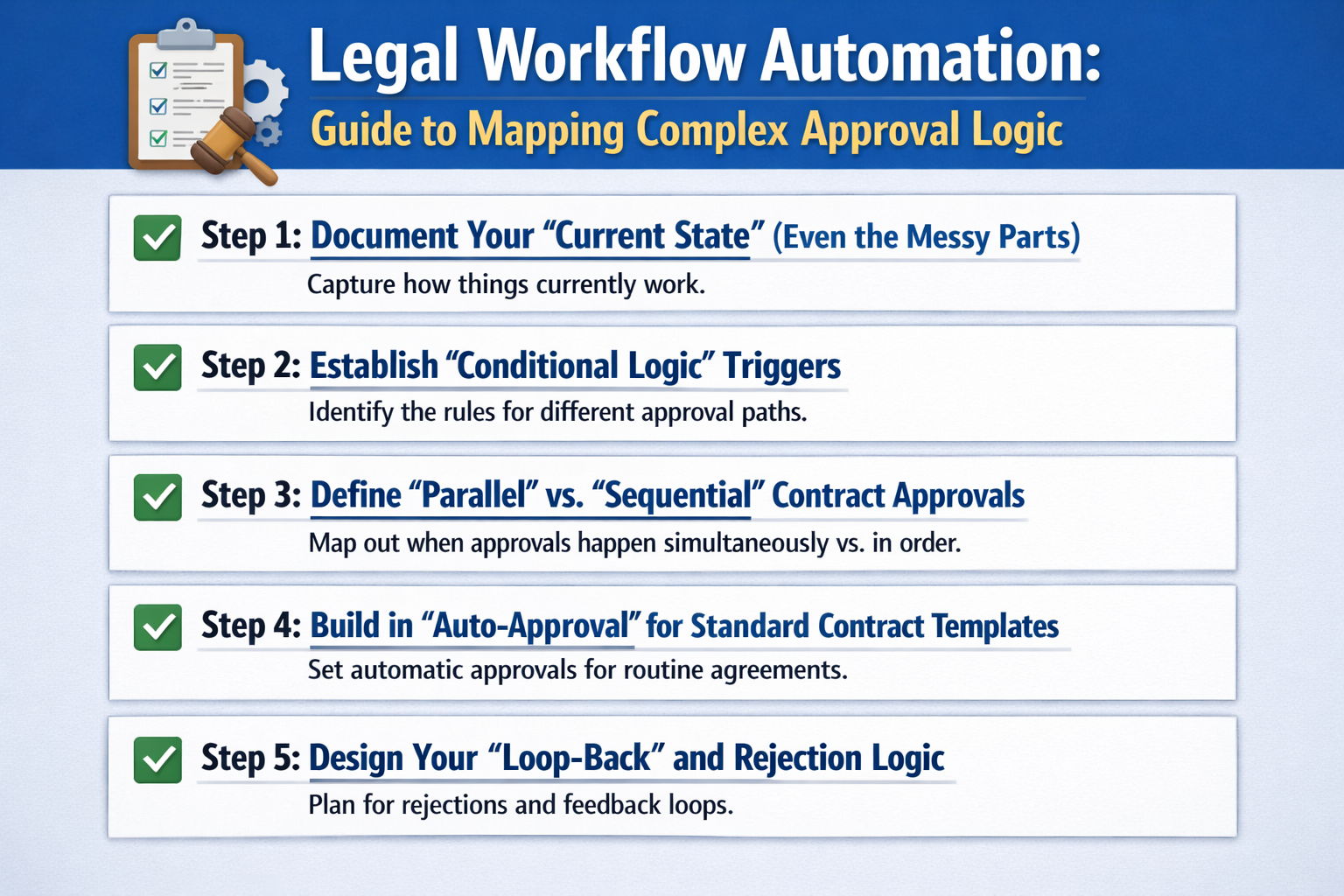
Here are the 5 steps to mapping your legal workflow automation:
Step 1: Document Your “Current State” (Even the Messy Parts)
Before you can build digital automation, you need to be honest about how things actually get signed right now.
Who really needs to see a contract?
Is it the CFO, or just the Finance Manager?
Mapping this out on paper first prevents you from building “broken” logic into your expensive new software.
We recommend mapping these three paths:
- The “Standard” Path: How a basic NDA or low-value SOW moves from draft to signature.
- The “Escalation” Path: What happens when a contract exceeds a certain dollar amount or contains a non-standard liability clause.
- The “Emergency” Path: How “red-hot” deals are handled when you need a signature in two hours, not two days.
Step 2: Establish “Conditional Logic” Triggers
The power of legal workflow automation lies in the system’s ability to make decisions for you.
Instead of a human deciding who needs to approve a deal, the CLM software should do it based on the data fields you’ve already mapped.
This is where your batch data extraction work becomes the engine for your automation.
Identify triggers for these common conditions:
- Value-Based Triggers: If Total Contract Value (TCV) is > $50,000, route to the CFO.
- Risk-Based Triggers: If the “Indemnity” field is marked as “Non-Standard,” route to the General Counsel.
- Geography-Based Triggers: If “Governing Law” is set to “France,” route to the EMEA Legal Lead.
Step 3: Define “Parallel” vs. “Sequential” Contract Approvals
One of the biggest bottlenecks in contract management is waiting for one person to finish before the next person starts.
Sequential approvals (Person A, then Person B) are often unnecessary.
Where possible, you should architect “Parallel” workflows to let multiple departments review the document at the same time.
We suggest looking for these parallel opportunities:
- Simultaneous Review: Letting Finance and IT Security review a vendor contract at the same time rather than waiting on each other.
- Non-Blocking Approvals: Allowing the Sales Manager to “pre-approve” while Legal is still finishing their redlines.
Step 4: Build in “Auto-Approval” for Standard Templates
If you want to truly accelerate your business, you need to remove the “Legal Tax” from low-risk deals. If a salesperson uses a 100% un-modified, company-standard NDA, you can likely skip the manual legal review entirely.
Try setting these “Fast-Track” rules:
- Zero-Touch Approvals: If the document matches the “Standard Template” and has zero redlines, it bypasses Legal and goes straight to the counterparty.
- Pre-Approved Clause Libraries: If a user swaps an “Indemnity” clause for a “Pre-Approved” alternative, the system automatically validates the change without needing a lawyer to re-read it.
Step 5: Design Your “Loop-Back” and Rejection Logic
Workflows aren’t always a straight line.
Sometimes a contract gets rejected and needs to go back to the “Drafting” stage.
If you don’t architect this “loop-back” logic, the contract can get “stuck” in a digital limbo where no one knows whose turn it is to act.
Your logic should clearly define:
- The “Reject to Draft” Trigger: Exactly where the document goes when an approver says “No.”
- Notification Rules: Who gets an automated alert when a contract has been sitting in someone’s inbox for more than 48 hours?
- Version Control: Ensuring that when a document “loops back,” the system automatically presents the most recent version for the next round of edits.
Conclusion
And there you have it.
We hope this step-by-step guide helps you navigate the transition from manual “hallway” approvals to a high-speed digital automation engine.
If you have any questions or want to see how this complex mapping looks in action, feel free to book a demo with us. We’re always happy to chat through your workflow strategy.
If not, come check out our next article on how to integrate your CLM with Salesforce and your ERP to ensure your data stays synced across the whole company.
See it in action
Turn contract chaos into a streamlined workflow
Join legal teams who cut contract turnaround time by 60%. Book a 15-minute demo to see how.