How to Manage In-Flight Contracts During a CLM Go-Live
If you’ve successfully integrated your tech stack, you might be wondering how to manage your “In-Flight” contracts when the CLM goes live.
More importantly, how does one transition a deal that started in your old manual process into the new automated workflow without confusing the counterparty or losing data?
If that’s you, you’re not alone.
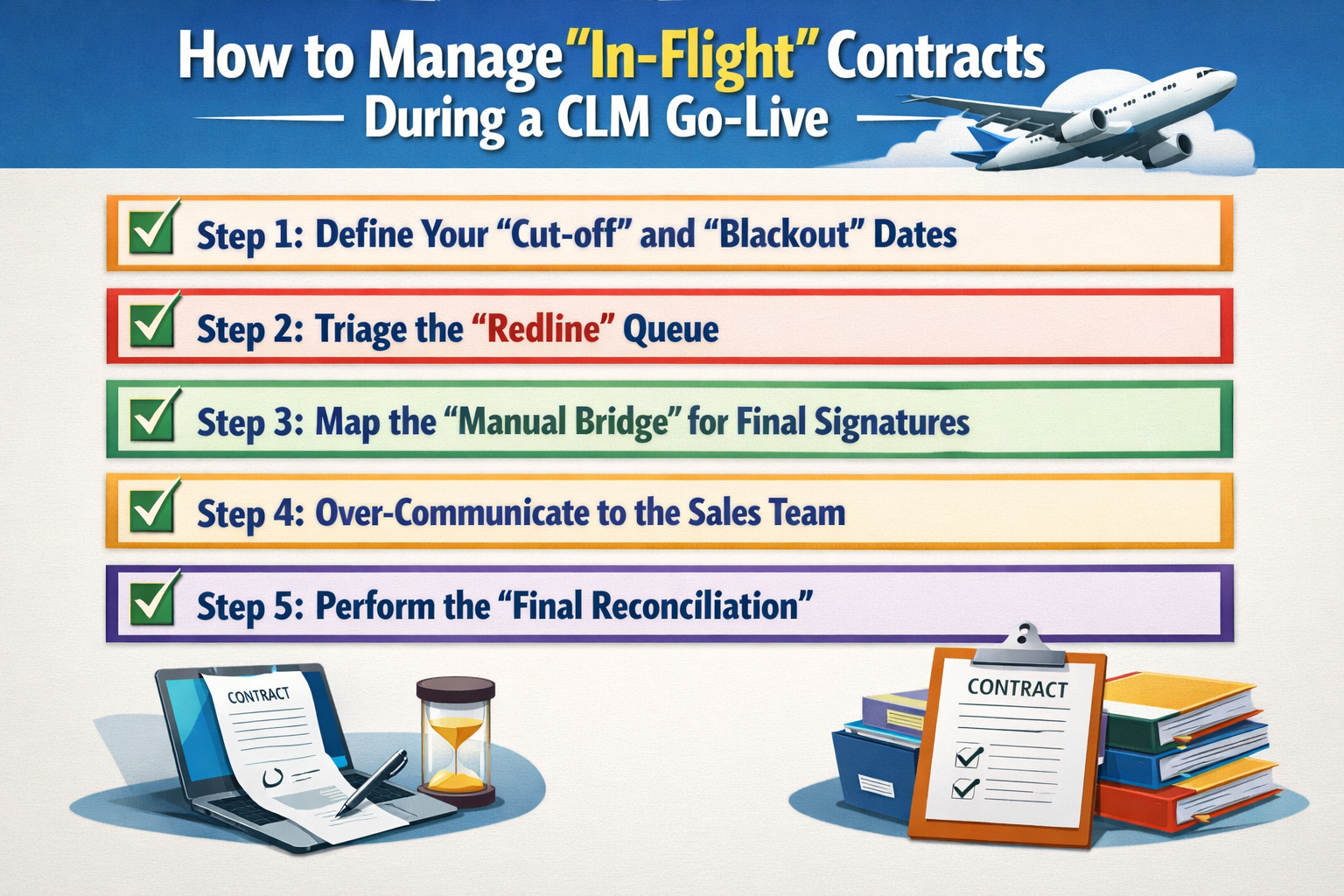
Here are the 5 steps to managing “In-Flight” contracts during a Go-Live:
Step 1: Define Your “Cut-off” and “Blackout” Dates
You cannot move a moving target. To manage the transition, you must set a hard date for when the “Old Way” stops and the “New Way” begins. This creates a clear boundary for the Sales team and prevents contracts from being initiated in two places at once.
We recommend a two-stage approach:
- The Soft Cut-off: 7-10 days before Go-Live, no new contracts can be started in the legacy system.
- The Hard Blackout: 48 hours before Go-Live, all signature links in the old system are deactivated (where possible) to prevent “Ghost Signatures” from happening during the final data migration.
Step 2: Triage the “Redline” Queue
Not every contract in the air needs to move to the new CLM immediately. Some deals are 99% finished and just need a signature, while others are in the early stages of heavy negotiation. You need to decide which ones stay in the “Old World” and which ones get “Re-platformed.”
Use this triage logic:
- The “Finish Line” Deals: If a contract is out for signature, let it finish in the legacy system. Don’t risk a deal by asking a customer to switch platforms at the 11th hour.
- The “Negotiation” Deals: If a contract is in early redlines, it’s often better to “re-platform” it. Upload the current draft into the new CLM so the rest of the negotiation and approval logic happens in the new automated system.
Step 3: Map the “Manual Bridge” for Final Signatures
For those “Finish Line” deals that sign in the old system after you’ve already run your final batch data extraction, you will have a data gap. You need a manual process to ensure these final legacy deals are captured and uploaded into the new CLM as the “First Residents.”
Create a “Catch-All” process:
- The Transition Folder: Designate one folder for any contract signed during the 7-day Go-Live window.
- The Monday Morning Upload: Task a member of Legal Ops to manually upload these final few deals into the new CLM on Day 1, ensuring the metadata matches your new schema perfectly.
Step 4: Over-Communicate to the Sales Team
Sales reps hate uncertainty, especially when it involves their commissions. If they don’t know where their deal is during the transition, they will find “workarounds” (like using old Word docs on their desktop) that bypass your new CLM entirely.
Your communication plan should include:
- The “Where is my deal?” FAQ: A simple guide telling them exactly where to go for deals started before vs. after the Go-Live date.
- The Emergency Hot-Line: A dedicated Slack channel or contact for “Deal Emergencies” during the first 48 hours of Go-Live.
- Success Story: Share the first “New System” deal that goes from draft to signature to build confidence in the automation.
Step 5: Perform the “Final Reconciliation”
Two weeks after Go-Live, you need to look back. Compare your old system’s final export with your new system’s active records. This “Double-Check” ensures that no “In-Flight” deal was forgotten and that your “Golden Source of Truth” is actually complete.
Check for these “Missing Links”:
- Signed but not Synced: Contracts that were signed in the old system but never made it into the CLM or your ERP.
- Abandoned Drafts: Deals that were started in the old system and never finished, reach out to the owners to see if they should be restarted in the new CLM or officially closed out.
Conclusion
Managing “In-Flight” contracts is the final test of your CLM migration.
It requires a balance of rigid process and human flexibility.
By setting clear cut-off dates and triaging your active deals, you can ensure that your Go-Live is a milestone, not a roadblock.
If you’re worried about your upcoming “Blackout Period” or want an expert pair of eyes to help you manage the “In-Flight” chaos, feel free to book a demo with us.
See it in action
Turn contract chaos into a streamlined workflow
Join legal teams who cut contract turnaround time by 60%. Book a 15-minute demo to see how.