
Importing a legacy contract archive used to mean setting the name, category, and date for every file by hand. Now you drop the whole batch into the bulk importer, review everything in a staging table, and let AI handle the tedious parts when you hit import.
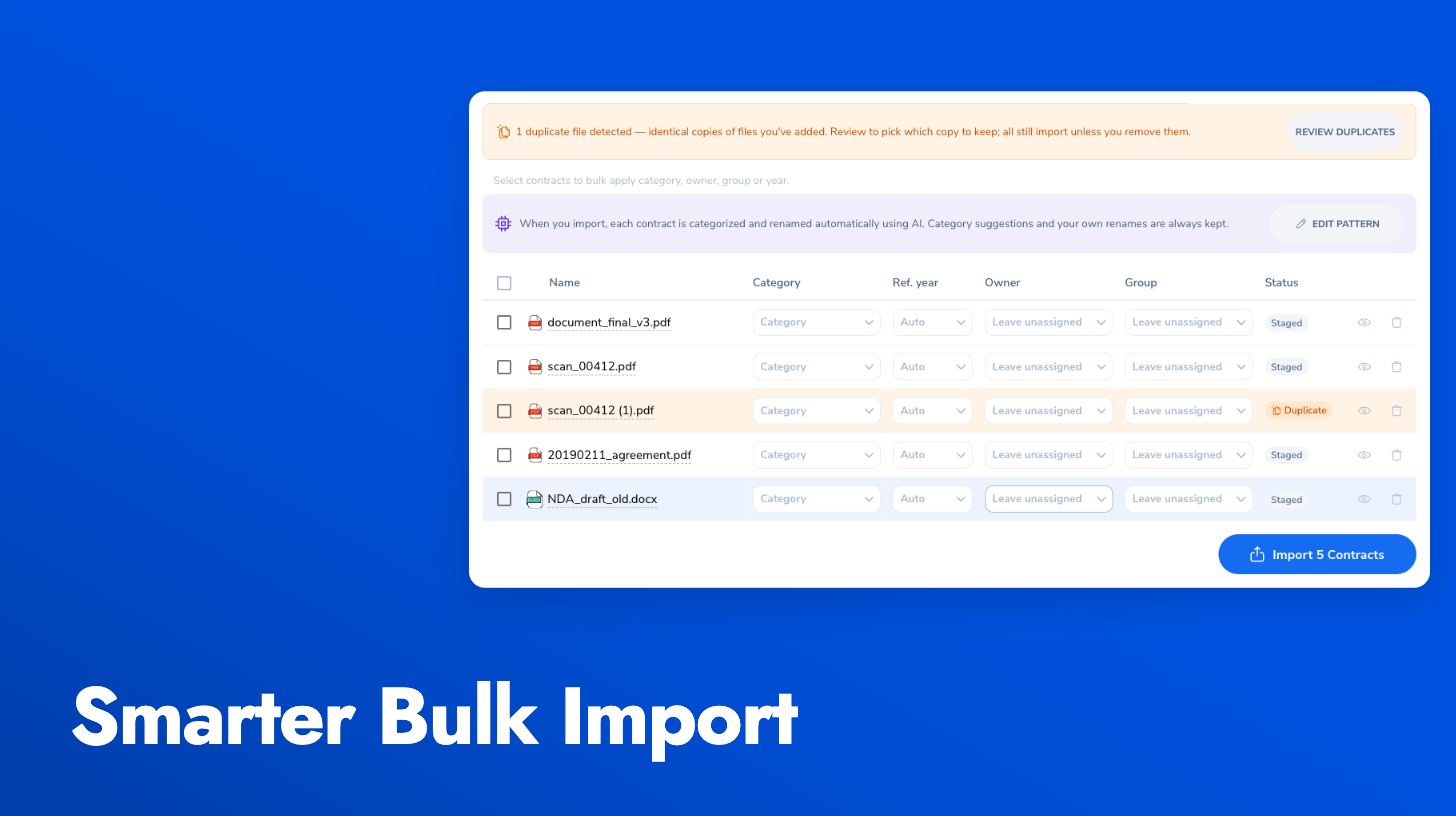
AI classification and smart renaming: As each file is imported, Pactly reads the document, categorizes it by contract type, and renames it using a configurable naming pattern (for example, type, counterparty, and year). Anything you set yourself in the staging table always wins over the AI, and classification runs at no extra credit cost.
Document preview: Click any staged file to preview it in a side panel without leaving the import screen, so you can check what a file actually is before importing. Works for both PDF and Word files.
Duplicate detection: If the same file is staged twice, the later copy is flagged as a duplicate with a one-click remove, plus a “Review duplicates” summary when a batch has several. Nothing is removed without your say-so.
The right reference year: Imported contracts used to take on the import date, so a 2019 contract got a current-year reference number. Now each file gets a reference year, extracted by AI from the document and editable per row or in bulk before importing. When no year can be detected, the contract is imported into the current year and flagged so you can find and fix it later. Admins also get a new “Reassign reference year” action on any contract to move a reference into the correct year cleanly, with the change recorded on the contract timeline.