
Running AI extraction on a contract used to replace whatever was already in a property, including a value a colleague had corrected by hand. Every property value now records where it came from, and the extraction dialog asks how existing values should be handled.
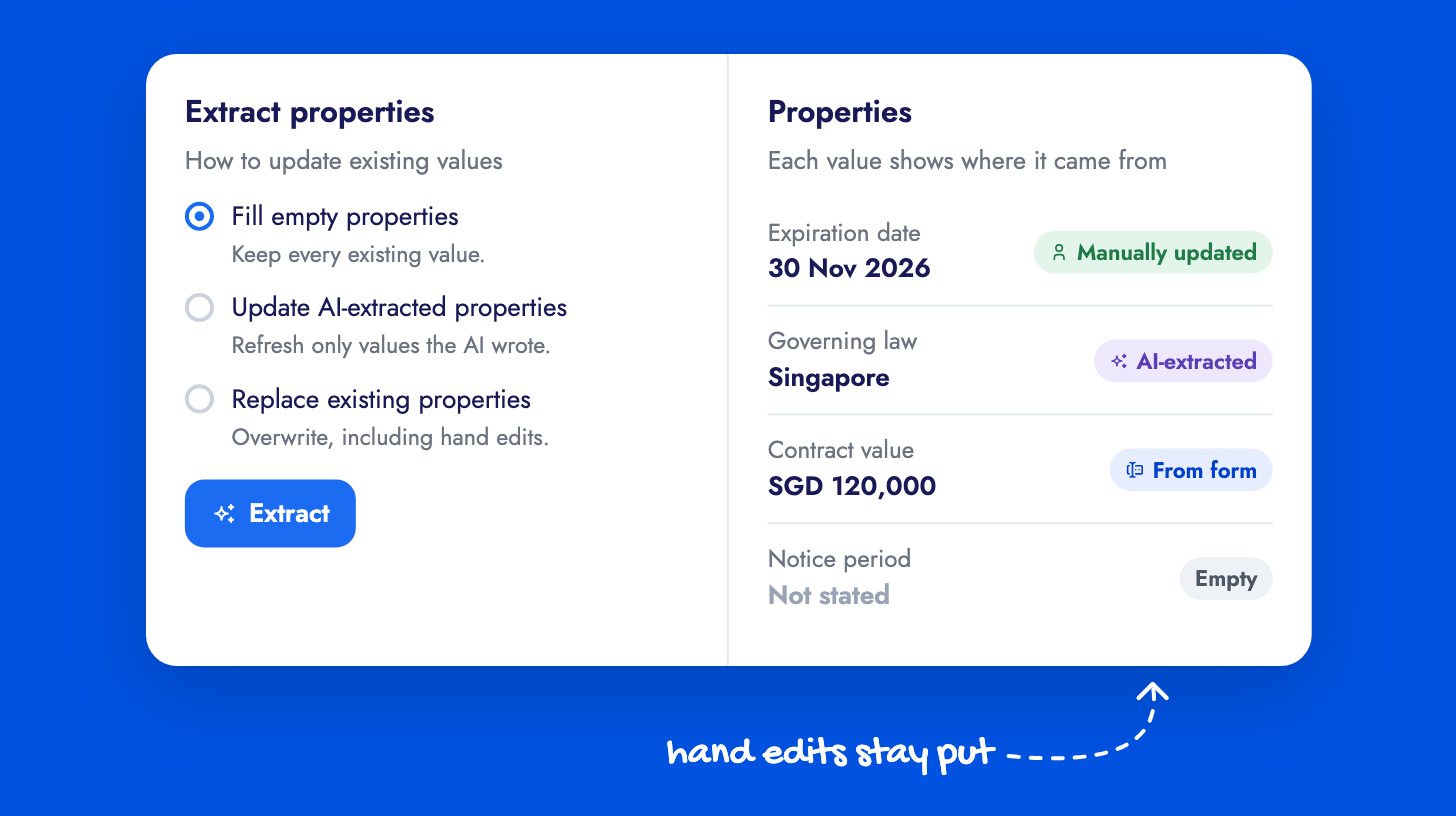
Fill empty properties is the default and keeps every existing value. Replace existing properties lets new findings overwrite them, including hand-entered ones, for repairing a contract whose values are known to be wrong. Under More choices, Update previously AI-extracted properties refreshes only values the AI wrote earlier and leaves human, form and workflow values alone. In every mode, a blank finding never clears an existing value. The same choice is available on Run AI Tasks workflow actions, so extraction triggered at finalization or execution follows the policy you set.
Each populated property now shows a source label: AI-extracted, Manually updated, From form or From workflow. Editing or confirming a value marks it as human-entered. The property values guide explains how values are captured.