
Requesters forget they have already submitted a request and send it again, and the intake team does not always catch it. Intake forms now have an optional duplicate check. Turn it on in the form’s settings and choose which questions must match: free-text questions like a project title are compared fuzzily, while choice and party questions must match exactly. You can also name other forms whose questions mean the same thing, so a request on one form is checked against submissions on the other.
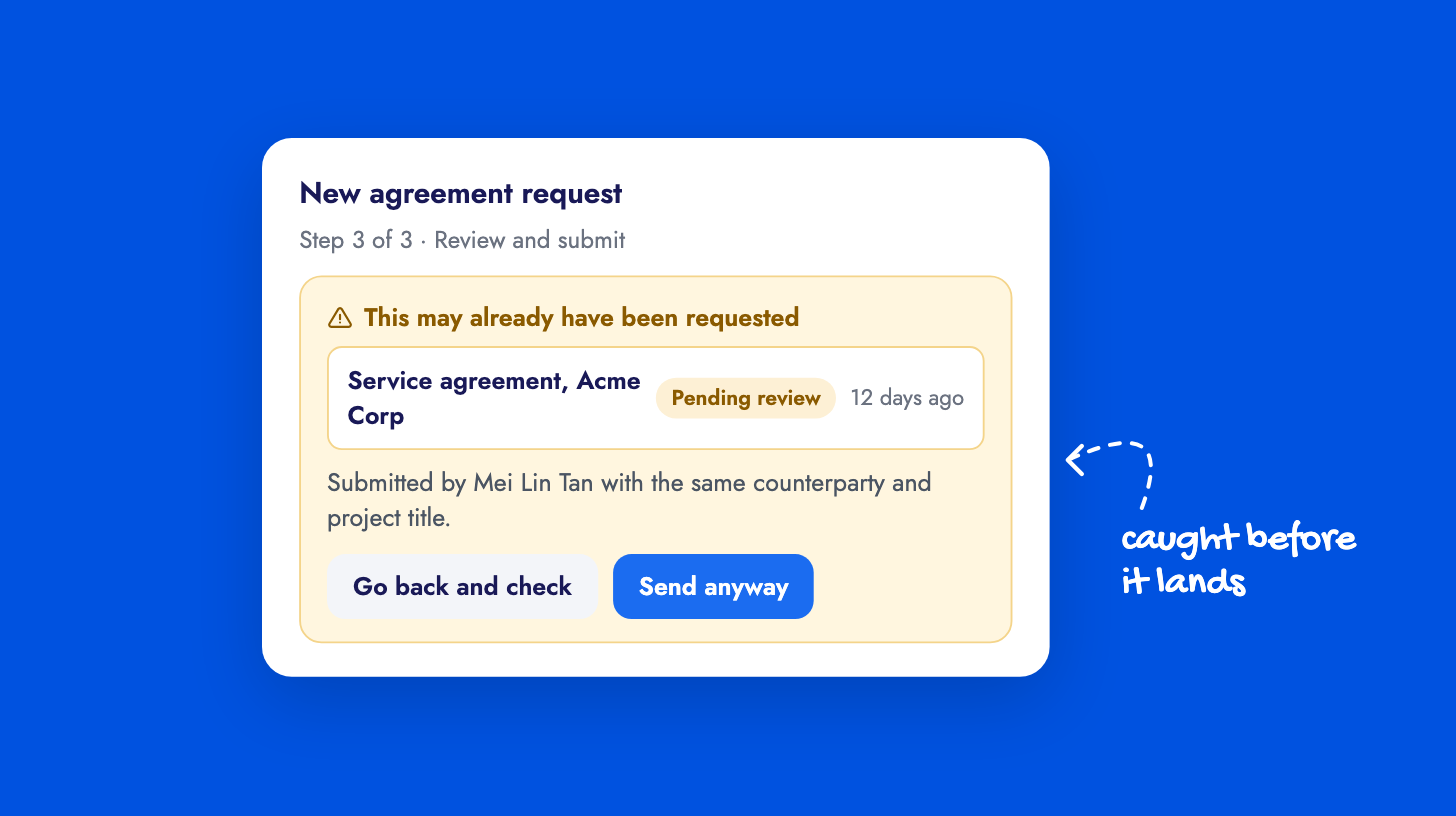
When a submission scores above the threshold, the requester sees which earlier request it resembles, when it was submitted and what state it is in, and can go back and check or proceed. Their draft is kept either way. For the intake team, the match is recorded on both contracts: a timeline entry names the evidence and sits pinned until someone rules on it, and the Relationships tab shows the pair as a possible duplicate. Confirm or Dismiss settles it, and a dismissal takes a reason so recurring false positives can be recognized.
The check also raises a Possible duplicate found workflow event, so you can notify your intake team the moment a match is recorded. It is off by default. The duplicate request check guide walks through the setup.