Contracts
Most teams keep their agreements scattered across email threads, shared drives, and a tracking spreadsheet that is always slightly out of date. When a counterparty sends back a marked-up draft weeks later, you dig through inboxes just to remember what was discussed and where things stand.
The repository is Pactly’s answer: every contract lives in one place, and each one carries its own history. Find any agreement, see exactly where it stands, open its full negotiation trail, and handle it from first draft through to end of life, all from the same list.
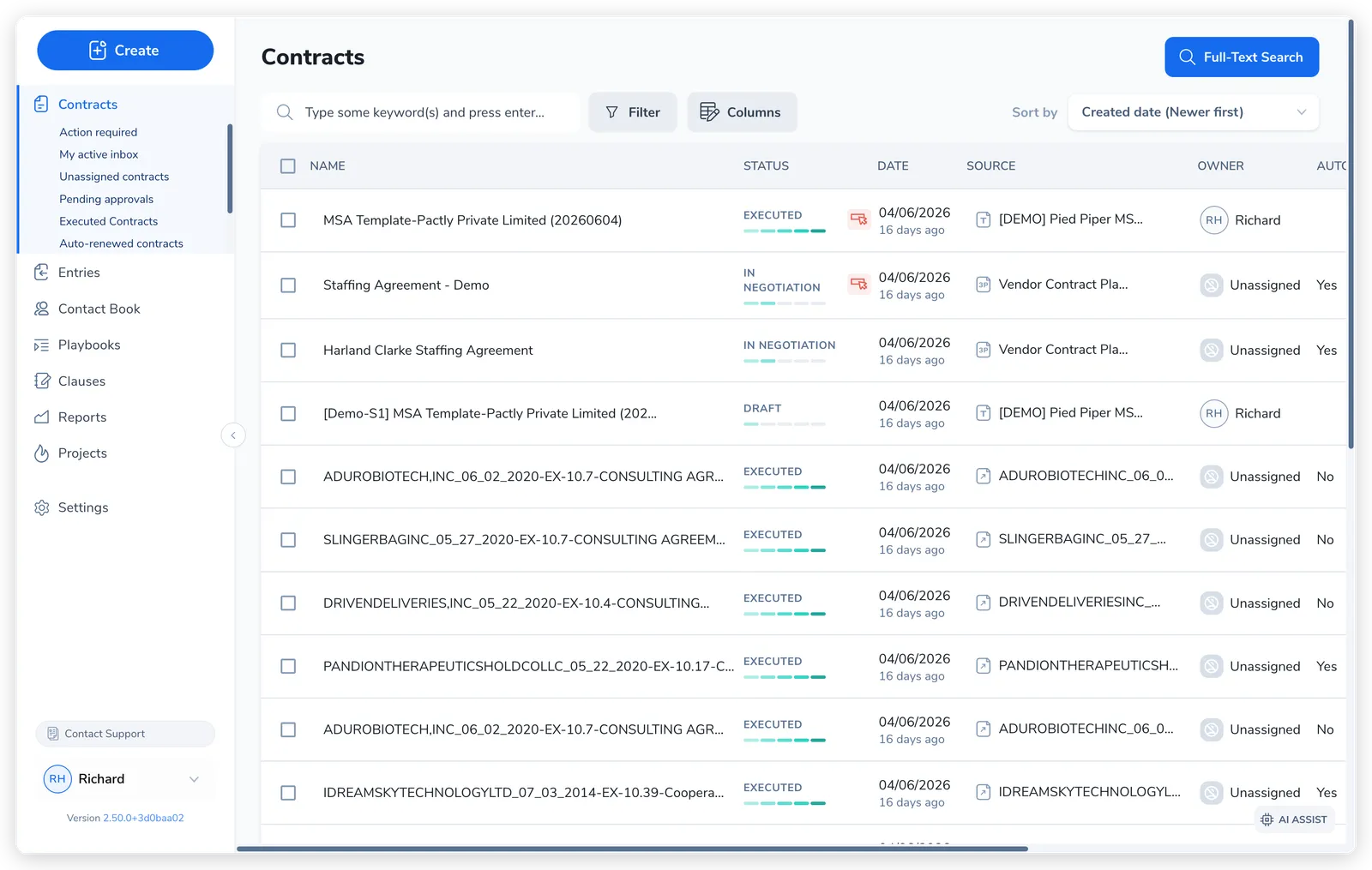
A contract is the core object in Pactly. Templates, forms, playbooks, workflows, and e-signatures each help at a different stage, but they all attach to, and read from, the contract record.
What you do in the repository
Section titled “What you do in the repository”The repository covers four jobs, the daily loop of contract work:
- Find and view. Search by reference number, filter by status, owner, category, or party, and save the filter and column combinations you reach for as named views.
- Track progress. Open any contract to see its status, who owns the next step, every negotiation round, and a complete timeline of what has happened.
- Manage versions. Record each exchange as a round (sent or received), compare what changed, and finalize when negotiation is done.
- Handle the lifecycle. Move a contract from draft to executed, then archive, terminate, or abort it at the end of its life.
How a contract gets there
Section titled “How a contract gets there”Contracts enter the repository three ways, depending on whose paper you start from. You choose the path from the Create menu.
Draft from a Template
Section titled “Draft from a Template”Your paper. You start the agreement from your organization’s standard language. Pick a template, fill in the details, and Pactly generates the document. The contract enters in Draft.
Review a Third-party Contract
Section titled “Review a Third-party Contract”Their paper. A counterparty sent you a document to review against your standards. You upload it and run a playbook review, which flags issues clause by clause. It enters as In Review.
Request E-Signature
Section titled “Request E-Signature”Ready to sign. The document is already agreed, inside or outside Pactly. You upload the final version and send it for signatures. It enters at Pending Signature.
Two more paths sit under “Other options”: Request Approval routes a finished document for sign-off, and Import Historical Contract files an already-executed agreement straight into the repository.
Where a contract stands
Section titled “Where a contract stands”Every contract has a status that tells you where it is in its lifecycle. The status moves forward as the contract progresses: Draft → In Negotiation → Pending Approval → Pending Signature → Executed, and Terminated at end of life. Alongside the lifecycle status, a contract can also be archived or marked for abort. For what each status means and how a contract moves between them, see Contract Status Reference.
What’s in this section
Section titled “What’s in this section”This section also covers recording negotiation rounds, renewal & expiry tracking, contract relationships, messages to external parties, the Action Required flag, and data exports.