Contact Book
Most teams re-type the same counterparty on every contract: the same company name, the same registration number, the same signer, keyed in slightly differently each time. A year later the reports don’t add up because “Acme Pte Ltd”, “Acme”, and “ACME PTE. LTD.” all look like the same company but count as three.
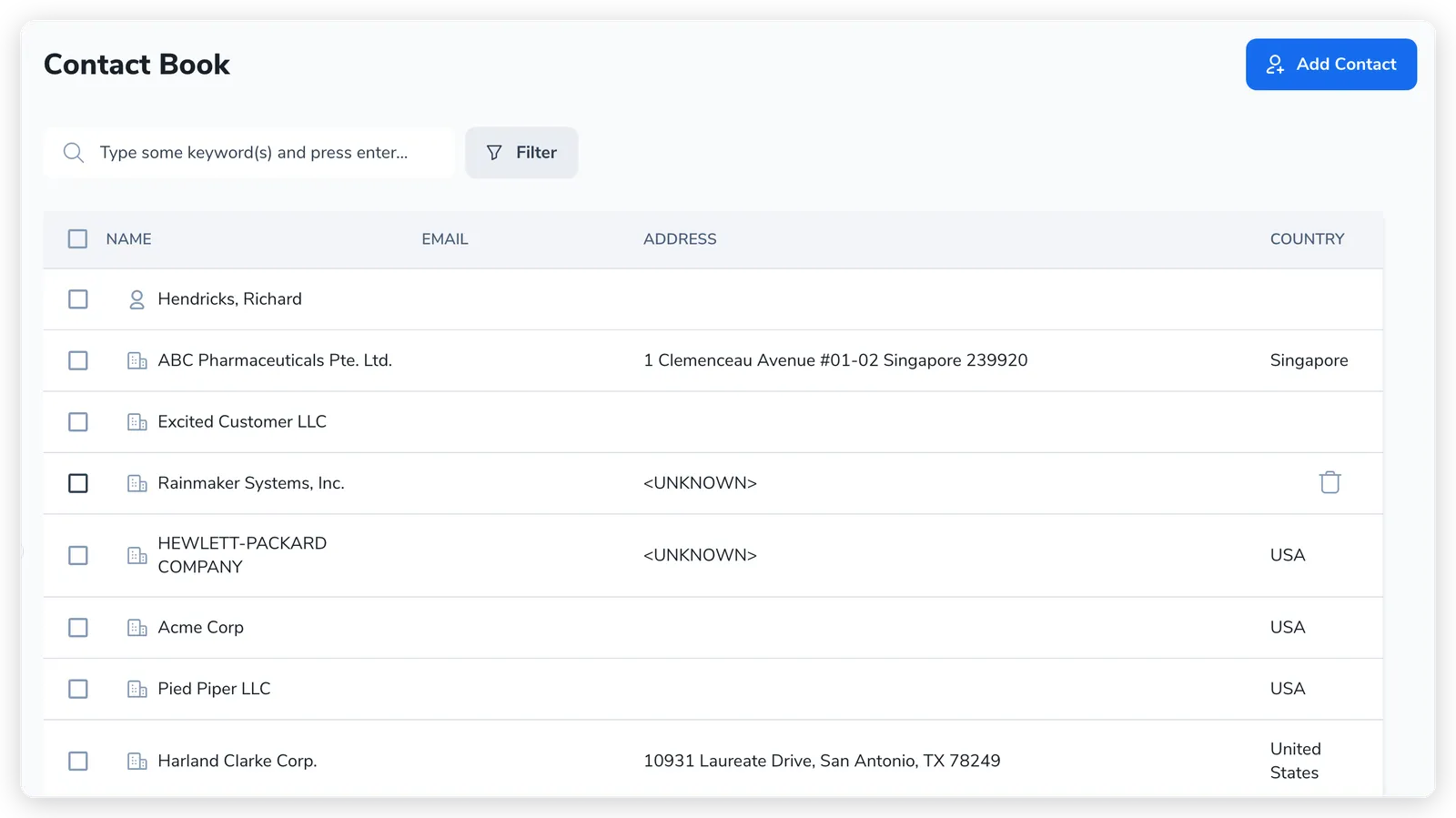
The Contact Book is Pactly’s answer: one company-wide list of every company and person you contract with. You enter a counterparty once, then reuse that same record on every agreement it touches, so names, registration numbers, and signer details stay consistent across documents and reports. You reach it from Contact Book in the left sidebar.
One record, two flavours
Section titled “One record, two flavours”- Name
- Title
- Designation
- Entity name
- Entity type
- Registration no.
Update the contact once and every contract it is on stays current — it is never re-keyed.
Everything in the Contact Book is a contact (the same record the data model, contract roles, and template tokens call a party: the two words mean the same thing here). A contact is a single record that is either:
- an individual: a person, with a name, email, title, and designation, or
- a legal entity: a company, with an entity name, an entity type (such as Pte Ltd), and a registration number.
There is no separate “company” object sitting apart from “people”. A company is a contact marked as a legal entity. When you add a contact you pick Individual party or Legal entity, and the fields change to match.
A person can be linked to the company they belong to, so “Jane Doe at Acme” is an individual contact whose parent is the Acme entity. The signer on a contract is an individual contact, often one linked to the entity you are contracting with.
The Contact Book is shared across your whole company. When you add a party to a contract, you search the Contact Book and pick the existing record rather than re-typing it, and each contact shows its newest 25 accessible Contracts under Contracts with this contact. Select View all Contracts to open the Contracts list filtered to that contact. One clean record per real-world company is what keeps counterparty details from drifting into near-duplicates.
Verified contacts
Section titled “Verified contacts”Each contact carries a Verified status, a manually-set marker that says a record is clean and complete enough to trust. You turn on a contact’s Verified toggle in the side panel once its key fields are filled in, and the directory shows a Verified contact badge on it. You can also filter the directory by Verified (alongside Party type) to work through the records that still need attention.
Verified is a data-hygiene signal, not a gate: searching for a counterparty while building a contract returns every matching contact regardless of its verified status. Working through unverified or incomplete contacts, and finding and merging duplicates, is the main way you keep the Contact Book reliable for reuse and reporting.