Sometimes you need to cancel a signature request after it’s been sent. Pactly provides two methods depending on your situation: canceling the signature request with the e-signature provider, or aborting the contract entirely.
Use this method when you want to cancel the current signature request but keep the contract active for future actions.
Step 1 of 2
1
Find the active signature request
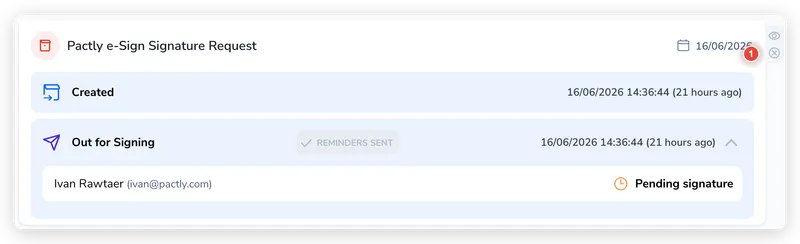
Open the contract with the pending signature request and go to the Timeline tab. The Pactly e-Sign Signature Request entry shows the request that is out for signing. The cancel icon (1) sits on the right of the entry, next to the visibility icon.
2
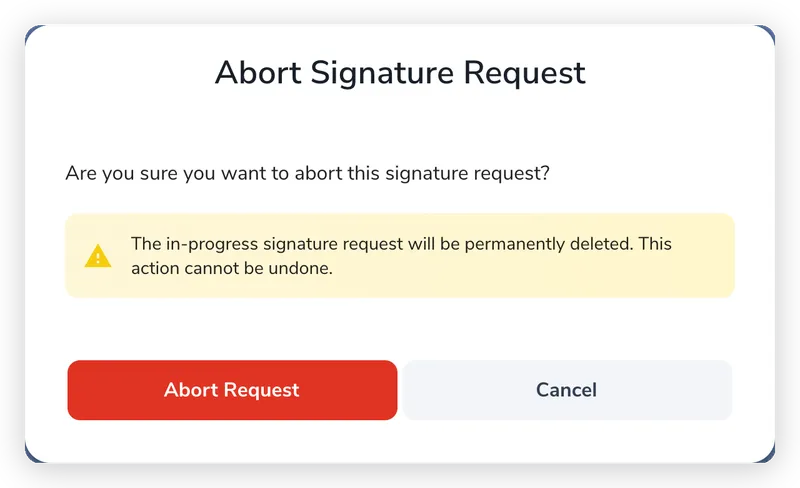
Confirm in the Abort Signature Request dialog
Click the cancel icon, optionally enter a reason, then click Abort Request. Signers can no longer sign the cancelled request. The contract remains Pending Signature until you take another action. The timeline records who aborted the request and the reason they entered. You can send a new request when the corrections are ready.
Step 1 of 2
In the contract list, a contract that is Pending Signature with no active request explains this in its signing-status details. Cancelling a request does not mean the contract has been signed.
Use this method when you want to completely stop work on the contract and cancel all pending actions, including signature requests.
Step 1 of 2
1
Open the contract menu and click Abort
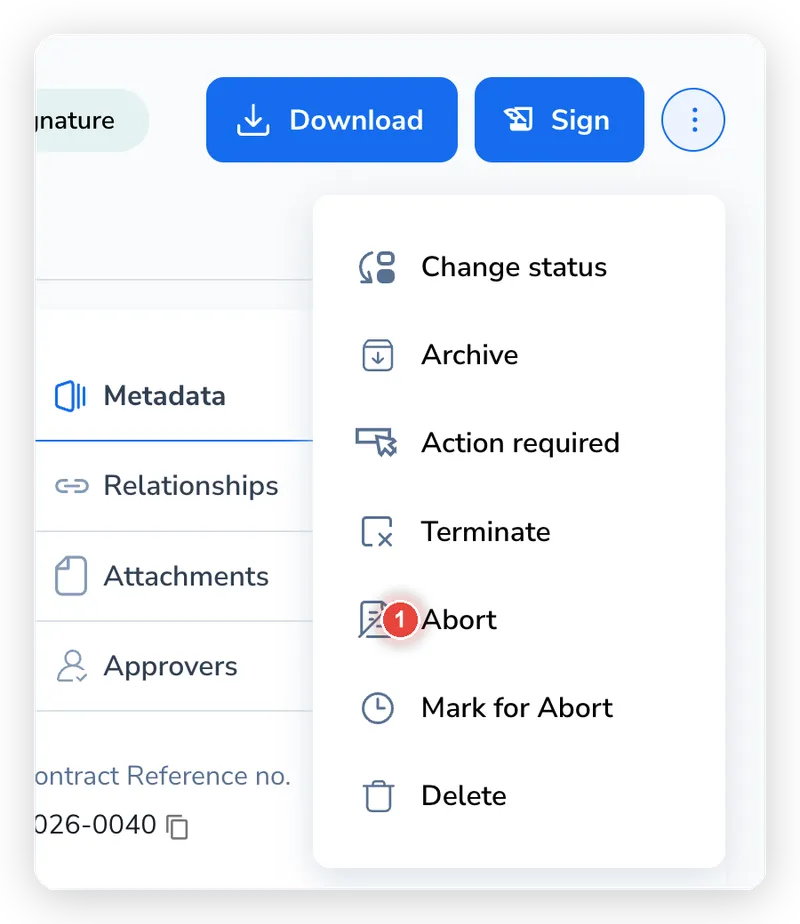
Open the contract, then click the menu button next to Sign in the top right. Choose Abort (1) from the menu.
2
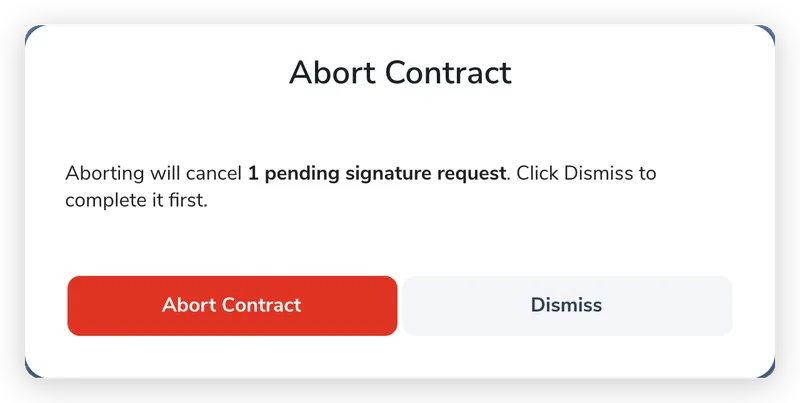
Confirm the abort
Confirm in the Abort Contract dialog. The contract is aborted, and any pending signature requests are automatically canceled with the e-signature provider, along with any pending approvals.