What Is a Playbook?
When a counterparty sends you their paper to review, the questions are always the same. Is this liability cap acceptable? Do we ever agree to this governing law? What do we counter with? The answers live in your most experienced reviewer’s head, so every review waits on their availability, and different reviewers apply different standards.
A playbook is those answers, written down once so Pactly’s AI can apply them on every review. It captures what your organization requires, flags where an incoming contract falls short, and offers your pre-approved language in its place, clause by clause.
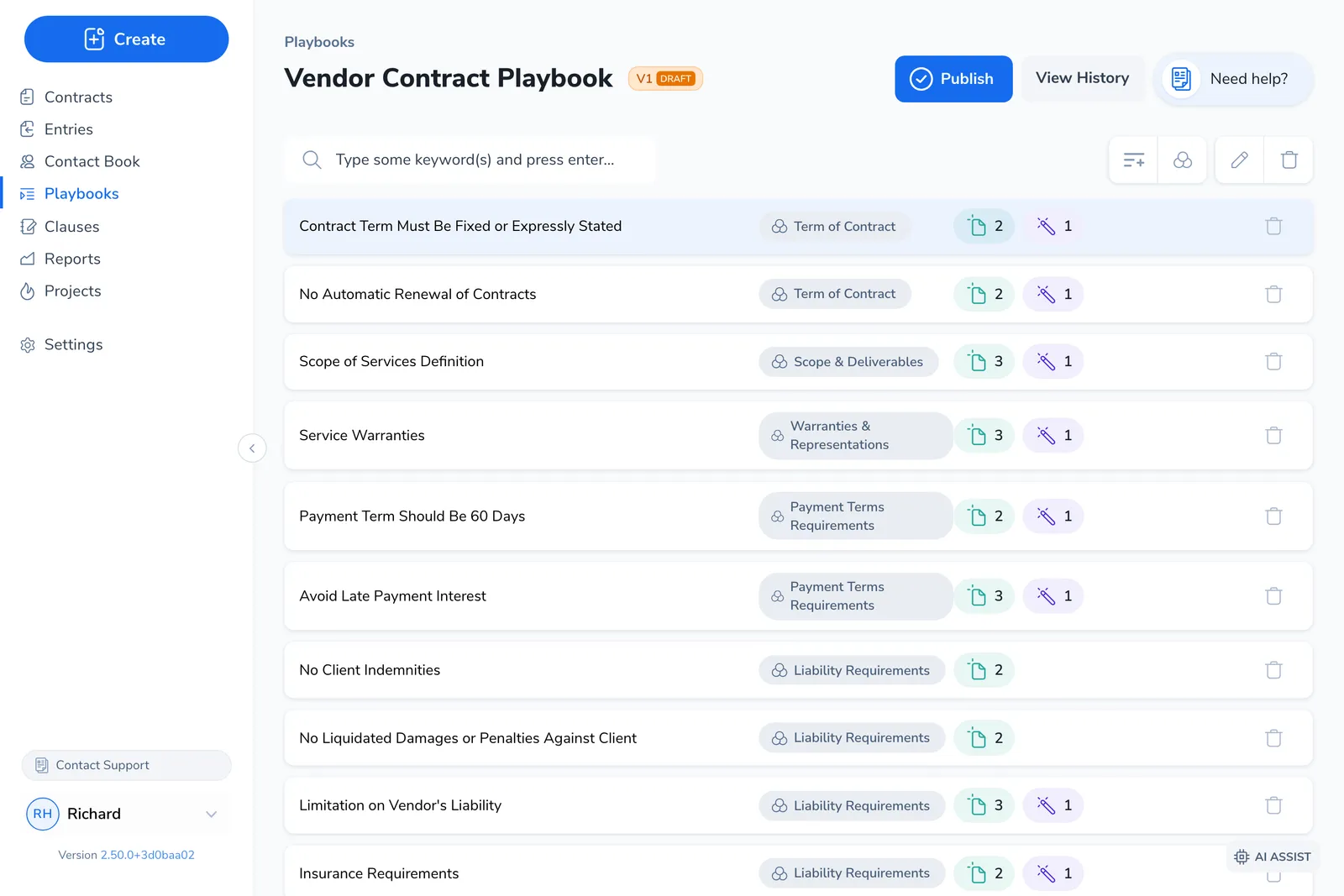
A playbook is built from positions. Each position covers one negotiation topic, a single type of clause or provision you care about, such as Limitation of Liability or Governing Law. The AI compares an incoming contract against every position and returns a verdict for each one.
How a playbook fits into contract review
Section titled “How a playbook fits into contract review”Playbooks sit on the review side of the contract lifecycle, the counterpart to templates:
- Templates define what you generate when you start an agreement. Your language, your terms.
- Playbooks define what you look for when you receive an agreement. Your standards, applied to their draft.
You author a playbook in the Pactly web app. You consume it during a review, either in the web app or in the Word plugin, where the AI walks each position and you accept or adapt its findings. See Running a Playbook Review for that side.
What’s inside a position
Section titled “What’s inside a position”A position is more than a name. Each one carries the requirement, the reasoning behind it, the language to fall back on, and the rules the AI uses to find and judge the relevant clause.
The requirement itself: what the contract must or must not contain for this topic. Write it as a declarative standard a reviewer could check against, not as an approval rule. This is what the AI evaluates the incoming clause against.
Optional context, split into three kinds: Rationale (why this position matters), Technical Drafting Notes (how to draft or amend the clause), and Internal-Operational Notes (guidance for your own reviewers). Notes are not required, and most positions have none.
Your pre-approved fallback language for this topic, ready to drop into the contract when the incoming clause does not meet your standard. In the Word plugin these appear as Preferred clauses, which a reviewer can insert as-is or adapt to the document.
Optional terms that help the AI locate the relevant clause in a long document. Keyword types let you match a pattern, an exact phrase, or filter out a false positive.
Each position also sets a verdict for when the AI finds no relevant clause at all, the Classification when no evidence found. Read the description as either a requirement or a prohibition, then decide: if nothing is found, is that good or bad? A required clause that is absent should flag as Not compliant; a prohibited clause that is absent should pass as Compliant. It is the setting people most often get backwards.
What the AI returns
Section titled “What the AI returns”When you run a review, the AI finds the relevant clauses for each position, compares them against your description, and assigns one verdict per position:
| Verdict | Meaning |
|---|---|
| Compliant | The clause meets your standard. |
| Not compliant | The clause falls short of your standard. |
| Not applicable | The position does not apply to this contract. |
| Uncertain | The AI could not judge it; a person should review. |
| Pending | The review has not finished assessing this position yet. |
For anything Not compliant, the review explains the gap and offers your suggested clauses as replacement language. The result is a prioritized list of issues with usable fixes, not a single risk score.
How a playbook gets created
Section titled “How a playbook gets created”A playbook is always authored in the web app. The Create Playbook dialog groups your starting points into From a document and Build in Pactly:
- From a document uploads a file and detects whether it is an existing written playbook or a standard contract template, then drafts positions from it. See Import from a Document.
- Create with AI wizard answers a few questions about your requirements and drafts positions for you to review.
- Create from scratch starts empty so you can add positions yourself.
- Clone an existing playbook copies one of yours as a starting point.
Pactly also ships Pactly Playbooks, curated starter playbooks available to every company. These are maintained by Pactly, so your team cannot edit them directly. To tailor one, copy it to your company; to remove it from your list, hide it.
Categories connect a playbook to its contracts
Section titled “Categories connect a playbook to its contracts”Each playbook is attached to one or more categories (your contract types, such as NDA or MSA). The category is how Pactly knows which playbook to offer when you review a contract of that type. When several playbooks apply to the same type, you choose between them at review time. See Choosing the Right Playbook for that flow.