1
Open the signed agreement
You will see a Date change found entry in the timeline and a purple dot on the Relationships tab. Click either one.

An amendment that extends a contract from May to November is easy to link and easy to forget to update. If the original still says May, your expiry reminders and reports are wrong.
Pactly now does the reading. When a signed amendment or termination lands in Pactly, it finds the contract it changes and suggests the new date. You check the suggestion and click Confirm. Nothing on the original changes until you do.
Pactly reads an agreement once it is signed, uploaded as signed, or imported as executed. It only reads agreements whose name says they change an earlier one, like an amendment, variation, extension or termination.
From the document it picks out two things:
Agreements signed before this feature was switched on are not read.
You will see a Date change found entry in the timeline and a purple dot on the Relationships tab. Click either one.
It shows the original contract, the old and new date, and the clause the date came from. Click View clause to read the wording.
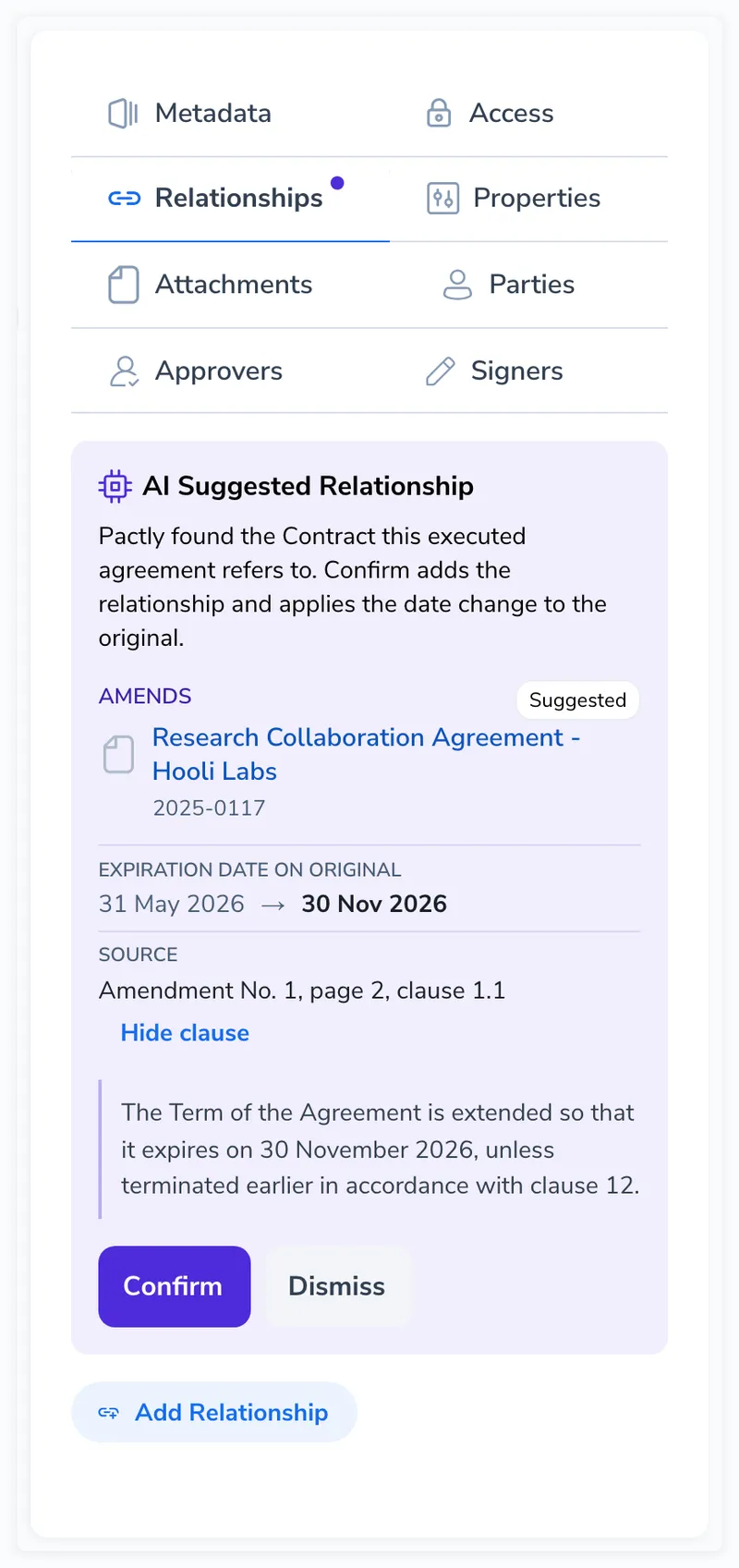
Confirm links the two contracts and updates the date in one go. Dismiss leaves everything as it is. You can bring a dismissed suggestion back with Review again.
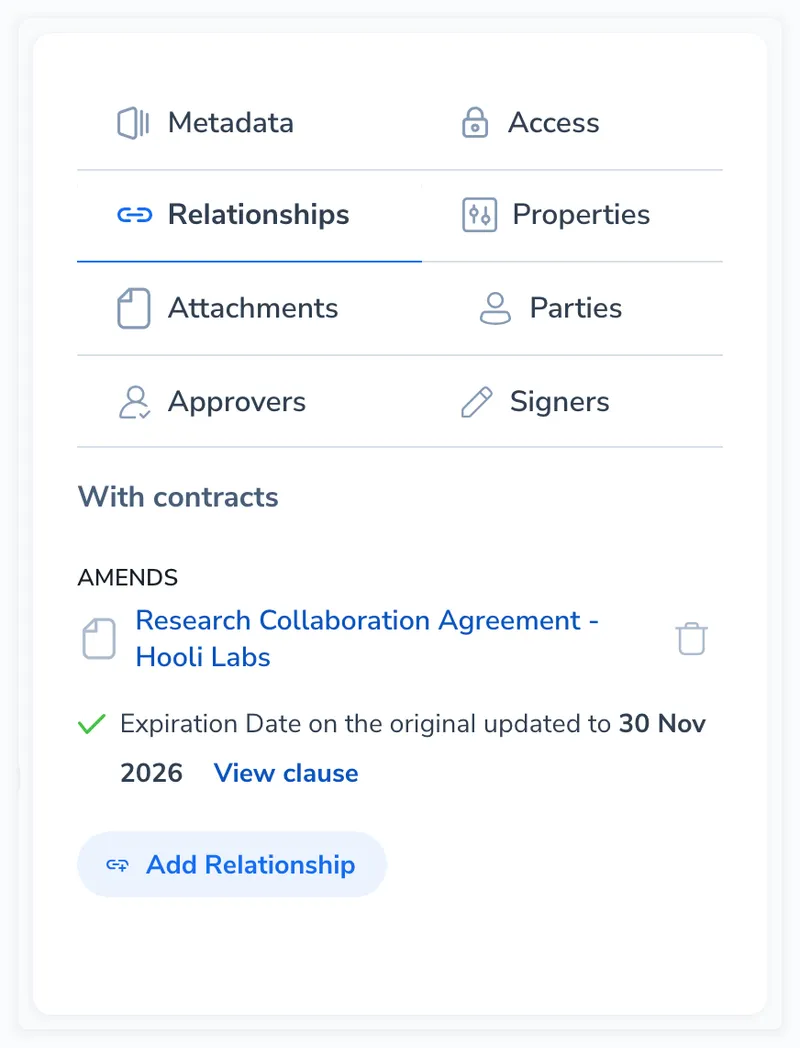
You need access to the original contract to confirm. If you cannot open it, the suggestion shows only its reference number. Ask an admin for access if the match looks right.
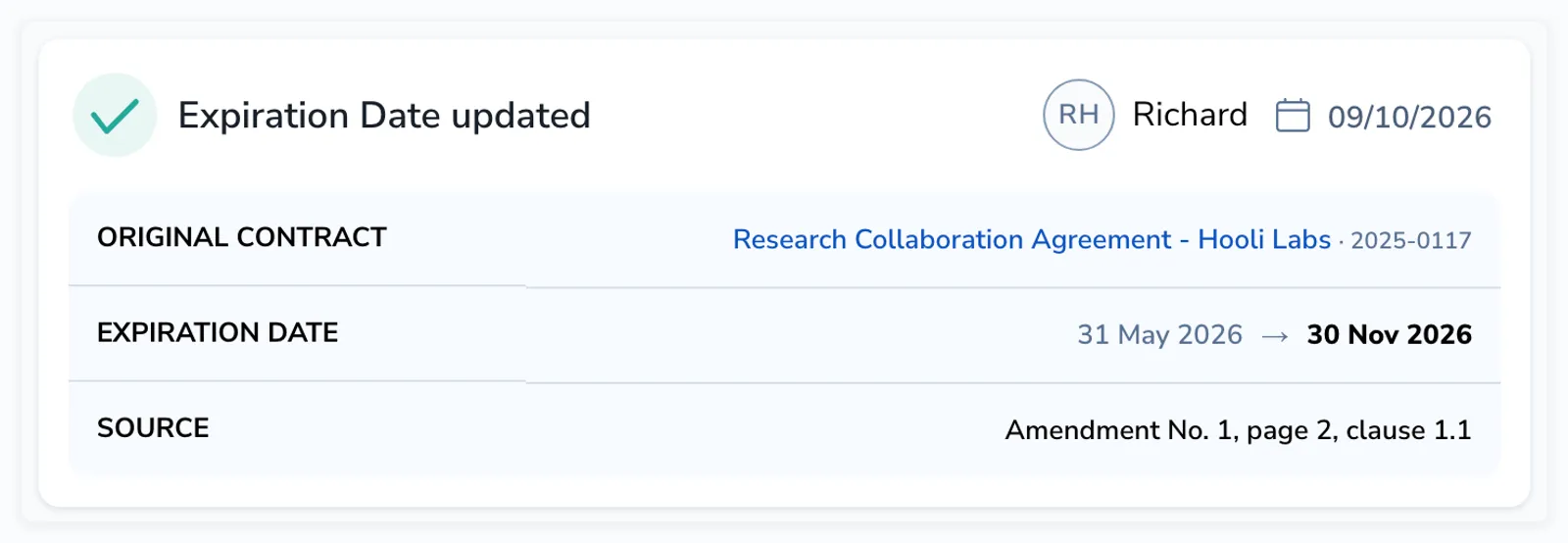
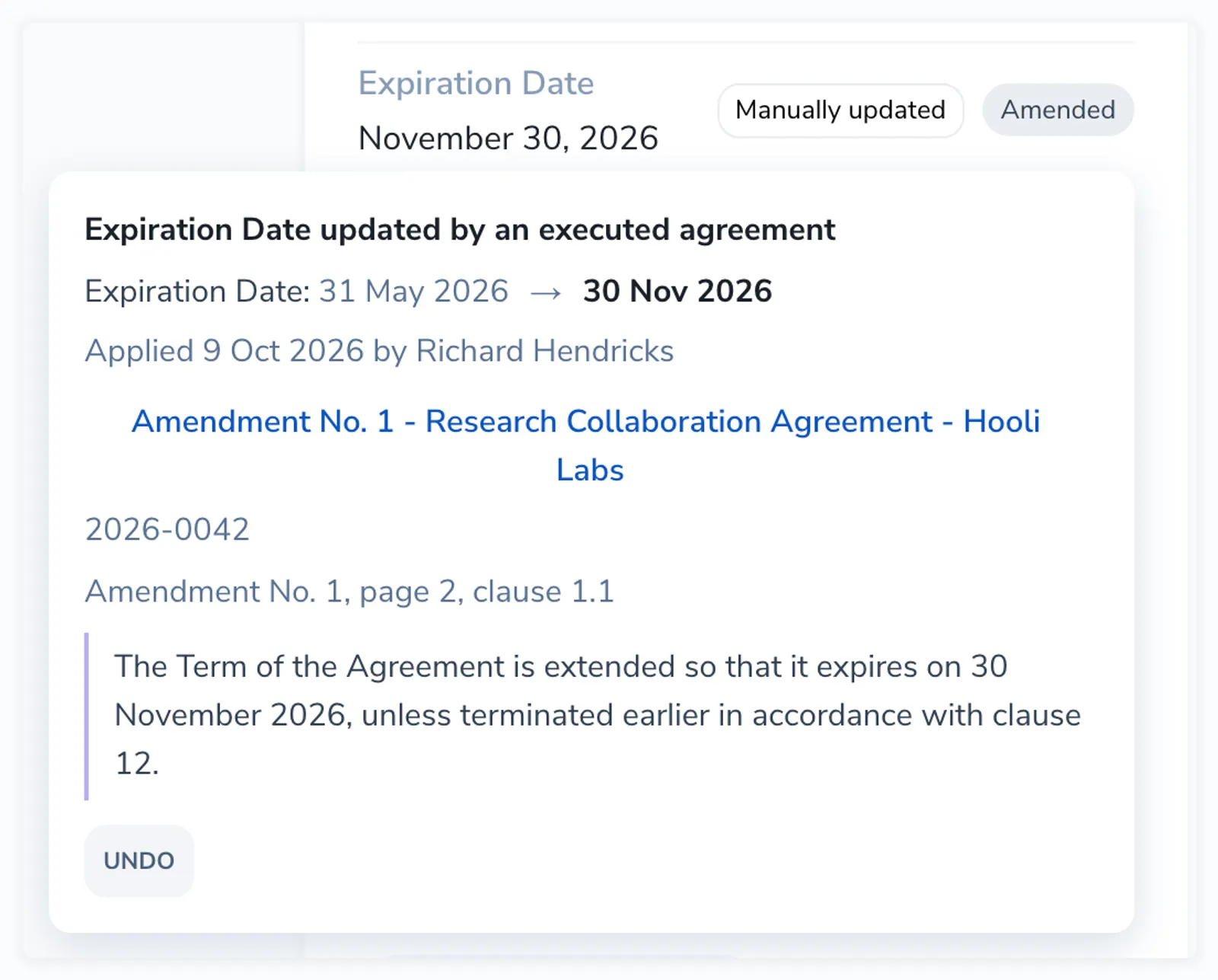
On the original, the date gets a small label. Amended means the date was changed. Set by agreement means it was empty before. Confirmed means the agreement said the same date that was already there. Click the label to see the details or to Undo the change.
A termination date does not change the contract’s status. The contract stays Executed and you decide what to do with it.
If you linked the amendment to the original before it was signed, Pactly only asks about the date. The button says Update date instead of Confirm.
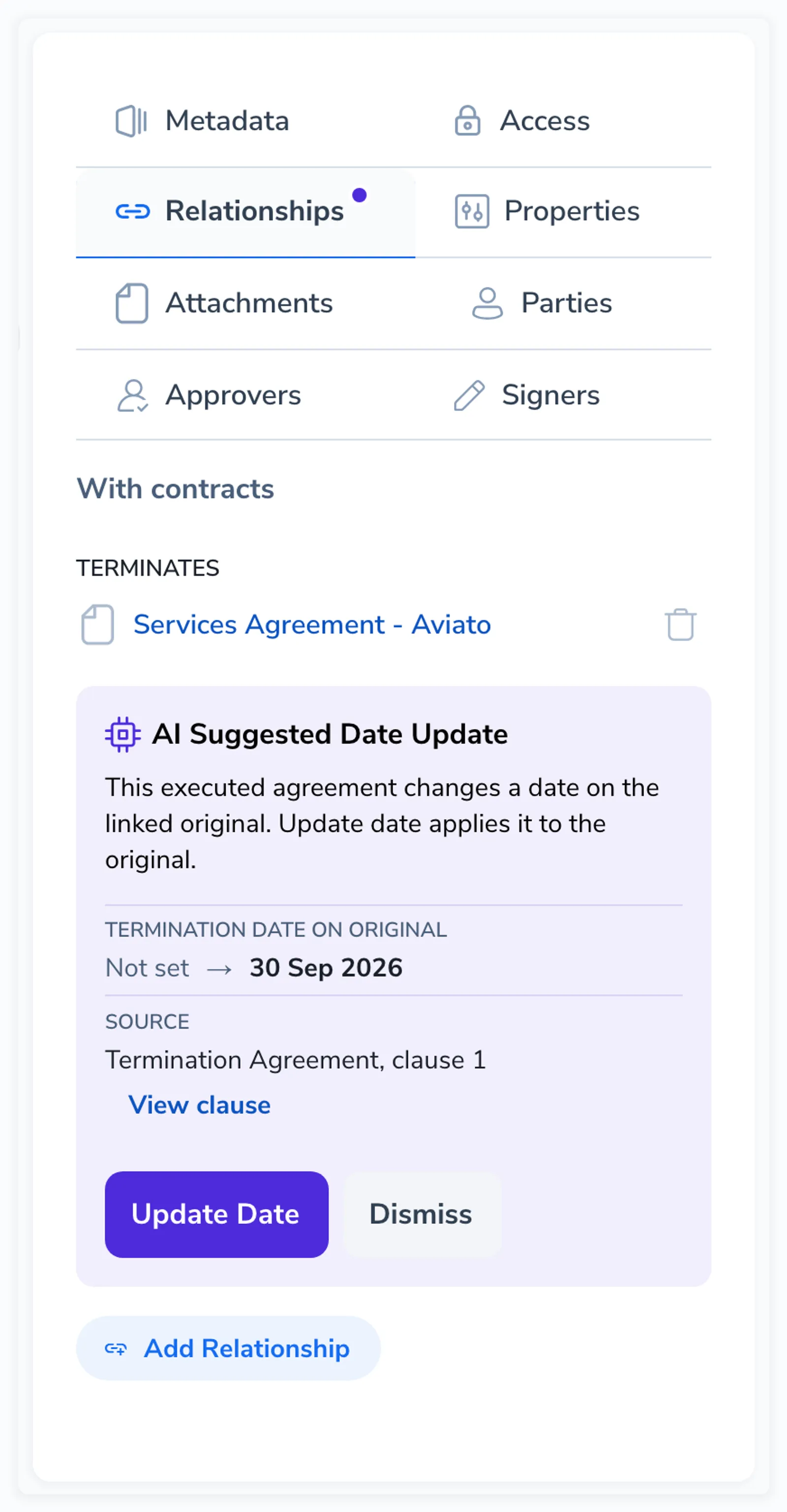
If the original already has the suggested date, Pactly tells you and there is nothing to apply. If someone changed the date by hand after the agreement was read, Pactly shows you the newer value before you overwrite it.
When the agreement is not linked and does not quote a reference, Pactly still saves the date it found and asks you for the link.
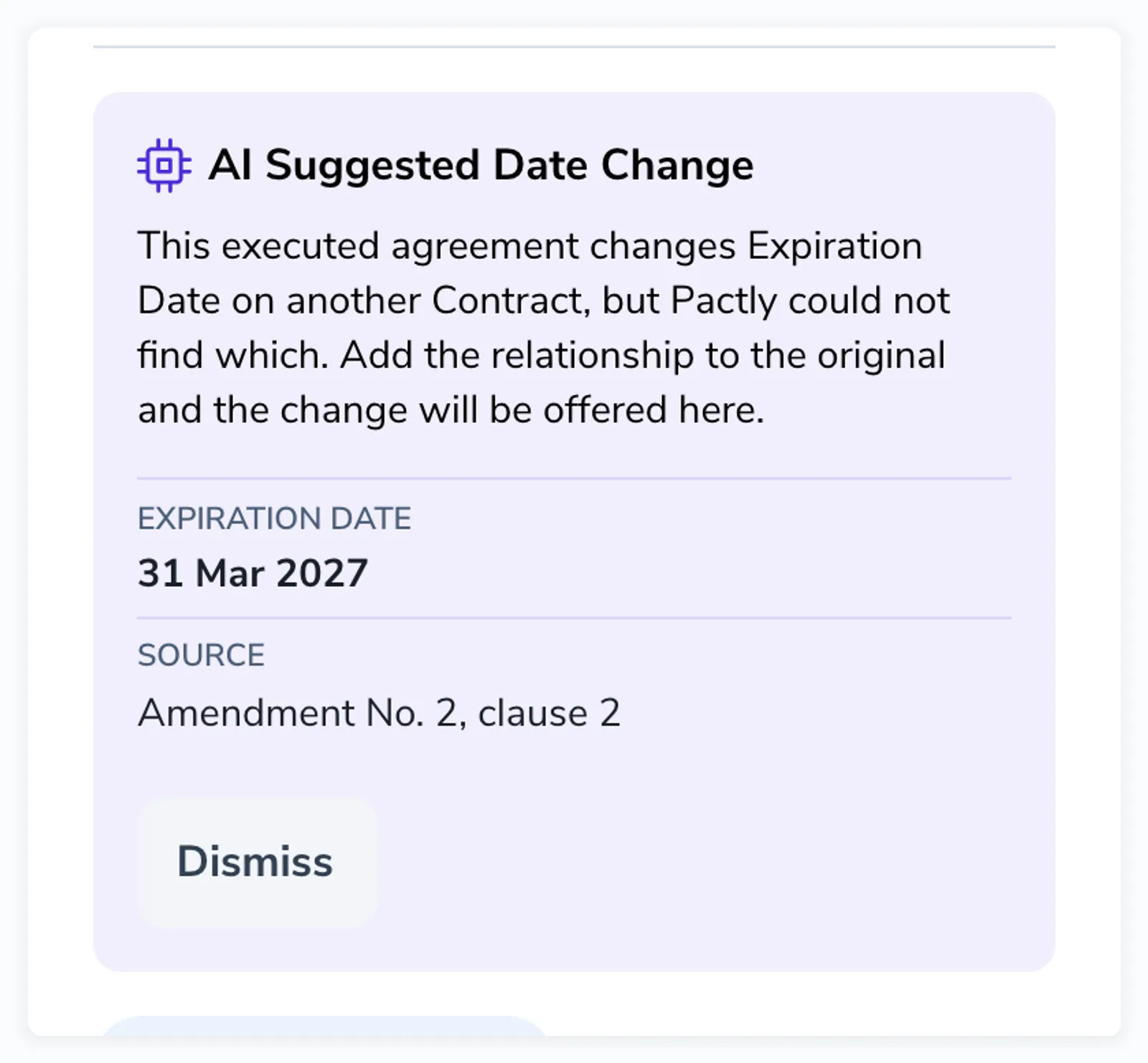
Click Add Relationship, pick the original, and the suggestion attaches to it with an Update date button. Adding the link on its own does not change the date.
If a reference matches more than one contract, Pactly lists them and you choose.
Expiry dates go into the built-in Expiration Date, so amendments need no setup. There is no built-in termination date, because every company records it differently. An admin picks the date property to use under Settings > Properties > Settings > Termination date.
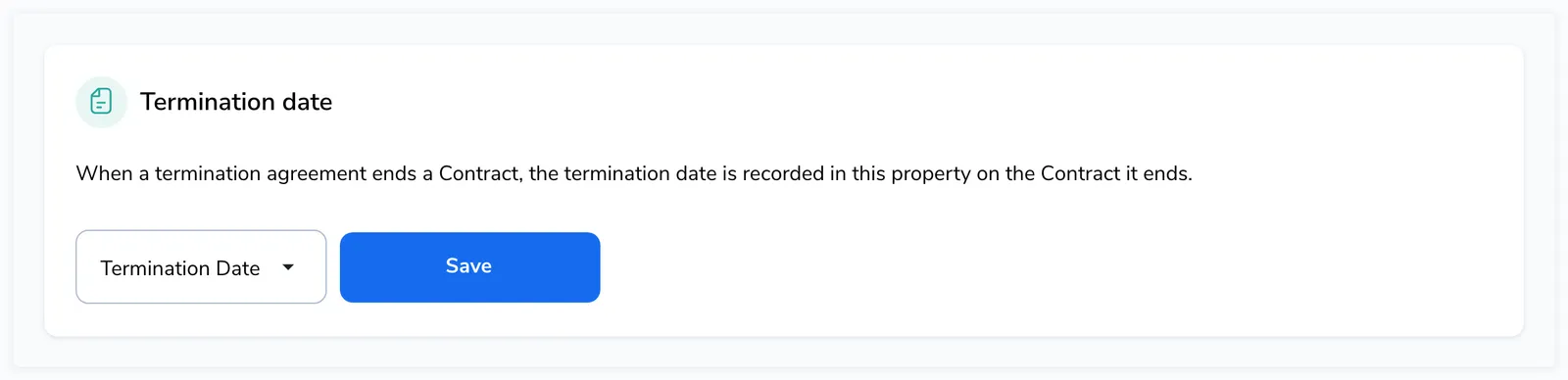
Only date properties are listed. If you do not have one for termination dates yet, create it first under Settings > Properties.